

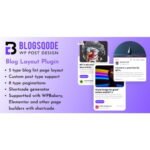

Blog Designer PRO plugin GPL – WordPress Blog Layout Plugin
Blog Designer PRO plugin is a WordPress blog layout plugin that helps site owners shape how posts appear across blog pages and archives. Choose from varied blog templates and post grid layouts to create a clear reading experience, with options for blog page customization and category archive layouts. It suits bloggers and businesses seeking more control over WordPress post display.
- 100% genuine GPL-licensed original files
- Lifetime updates included with your purchase
- Instant download after checkout
- Scanned, clean and safe for use on unlimited websites

Subscribe Today
Get Monthly Plan with unlimited downloads @ 75% Off
Rs. 499 Only
$59.00 Original price was: $59.00.$2.39Current price is: $2.39.
Payment Methods:

Description
The Blog Designer PRO plugin gives WordPress site owners more control over how posts appear on blog pages and archives. By choosing a layout that suits your content, you can make posts easier to browse and create a more consistent reading experience across your site.
Use its selection of blog templates and post grid layouts to shape your blog page, archive pages and category listings without changing the purpose of your content.
Key Benefits of the Blog Designer PRO plugin
- Choose a layout for your content: Browse varied templates and post grid layouts to find a presentation that works for your articles. A suitable layout helps readers scan titles and explore posts.
- Shape your blog archives: Adjust how posts are displayed on blog and archive pages. This gives you more control over the path visitors take from a listing to an individual post.
- Tailor category listings: Use category archive layouts to give grouped content a clear, organised presentation. Readers can navigate topics more easily when related posts are shown together.
- Build a consistent site experience: Use the plugin’s layout choices as part of your wider blog page customization. Your post listings can feel more considered and aligned with the way you want to present your site.
Who Is It For?
This WordPress blog layout plugin is a practical choice for bloggers, freelancers, agency owners and businesses that publish articles or news on their websites. It is suited to anyone who wants more control over WordPress post display, from a solo publisher refreshing a blog page to a professional managing layouts for client sites.
What You Get
- The Blog Designer PRO plugin download package for use with a WordPress website.
- Plugin files needed to install and activate the product.
- Access to the plugin’s available blog templates and post grid layout choices.
- Layout controls for shaping blog pages and supported archive displays.
The download is for the plugin itself. Your site content, WordPress installation and any other tools you use remain separate.
Easy Installation
- Sign in to your WordPress dashboard and open the plugin installation area.
- Upload the Blog Designer PRO plugin package, then install and activate it.
- Open the plugin’s available settings, choose a layout and configure the display to suit your blog.
Once configured, review the relevant blog or archive page on your site to check how the posts appear to visitors.
Compatibility
Blog Designer PRO is intended for use with WordPress. Check that your website is running the latest WordPress before installation, and review the product details for any additional compatibility information. WooCommerce-specific compatibility is not stated for this product, so consider your intended setup when planning its use on a store website.
Why SafeGPL
SafeGPL makes the download process straightforward, with fast delivery after your order. The latest version available is provided so you can get started with current product files. Downloads are clean and ready to use, helping you move from purchase to installation with less fuss. Helpful support is available if you need assistance along the way.
FAQ
What does the Blog Designer PRO plugin do?
It helps you control how posts appear on WordPress blog pages and archives, using a choice of templates and post grid layouts.
How do I use Blog Designer PRO?
Install and activate the plugin in your WordPress dashboard, then select and configure a layout for your post listings. Preview the relevant pages to see how the chosen display works with your content.
Can I use it for category archive layouts?
The plugin includes options for category archive layouts, helping you present posts grouped by topic in a clear format.
Where can I buy Blog Designer PRO?
You can purchase the product through its listing on SafeGPL. The listing provides the available purchase and download details.
Where can I check the Blog Designer PRO price or demo?
Refer to the product listing for current pricing and any available demo information. Availability and listing details can change, so check there before purchasing.
Give Your WordPress Blog a Clearer Layout
With the Blog Designer PRO plugin, you can select a presentation for your posts and refine the way visitors browse blog and archive pages. Explore the available Blog Designer PRO layouts to find an approach that suits your content and site structure.