

WooCommerce Checkout Field Editor
- Original GPL Product from the developer
- 100% Clean Files & Free From Virus
- Unlimited Domain Usage
- Free New Version
- Regular Updates
- Use it for Personal or Client Projects
- Get this product for free in membership
- License : GPL

Subscribe Today
Get Monthly Plan with unlimited downloads @ 75% Off
Rs. 499 Only
₹1,299 Original price was: ₹1,299.₹199Current price is: ₹199.
Payment Methods:

Description
Master Your Conversions: The Indispensable Power of WooCommerce Checkout Field Editor
In the world of eCommerce, the checkout process is the final, and most critical, hurdle. A cumbersome, confusing, or irrelevant checkout form is one of the quickest ways to scare away a ready-to-buy customer. After over a decade developing and optimizing WordPress sites, I’ve found that few tools offer the direct control and conversion impact of the WooCommerce Checkout Field Editor. This plugin is not just an add-on; it is an essential conversion rate optimization (CRO) instrument for any serious WooCommerce store owner.
By default, WooCommerce provides a solid, but generic, checkout form designed to fit the broadest possible use case. But what if you sell custom cakes that require a “Delivery Time Preference” field, or digital products where the entire “Shipping Address” section is redundant? Trying to modify these fields manually often involves digging into PHP templates, leading to broken updates and endless maintenance headaches. This is where the WooCommerce Checkout Field Editor steps in, providing a clean, intuitive, drag-and-drop interface that gives you surgical precision over every element of your checkout fields—billing, shipping, and additional notes.
The ability to customize your checkout form goes far beyond aesthetics; it’s about efficiency, data collection, and improving the user experience. By eliminating unnecessary fields, you reduce friction. By adding crucial, business-specific fields, you gather the exact information needed to fulfill orders perfectly. Whether you are looking for a reliable WooCommerce Checkout Field Editor GPL version or planning to buy WooCommerce Checkout Field Editor cheap to test its capabilities, understanding its core features is paramount to leveraging its full power.
Essential Features of the WooCommerce Checkout Field Editor
My extensive experience with this plugin confirms that its feature set is focused entirely on flexibility and ease of use. It allows you to transform a standard, rigid WooCommerce form into a dynamic data collection tool. Here are the core features that drive its value:
- Drag-and-Drop Interface: The most important feature is the incredibly intuitive visual editor. You can easily reorder, remove, or modify existing core fields (like “Phone” or “Company”) without touching a line of code. This dramatically speeds up site development and maintenance, making it accessible even if you buy WooCommerce Checkout Field Editor discount and are new to WooCommerce customization.
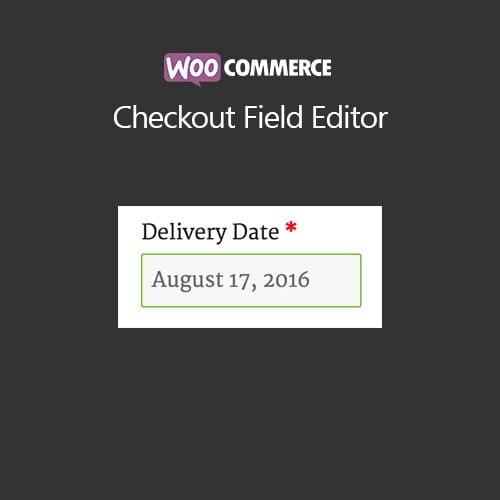
- Custom Field Creation: The plugin supports 17 different field types, including Text, Hidden, Password, Textarea, Select, Multiselect, Checkbox, Radio, Date Picker, and File Upload. This range ensures you can collect virtually any type of data needed for specialized products or services, whether it’s an engraving request or a mandatory delivery date.
- Conditional Logic: This advanced feature allows you to display or hide fields based on other field values. For example, you can hide the “Apartment/Suite” field unless the customer checks a “This is an apartment building” checkbox. This makes the form shorter, smarter, and significantly reduces the cognitive load on the user, optimizing for speed and conversion.
- Field Validation and Required Status: You gain granular control over making fields required or optional, and defining specific validation rules. This ensures data quality from the start. You can also specify default values for fields, which is particularly useful for optimizing forms for specific campaigns.
- Seamless Integration with WooCommerce Admin: Any field you add is automatically visible and editable within the WooCommerce admin area, specifically on the Order Detail page. This means that the crucial information collected during checkout is immediately available to your fulfillment and customer service teams, ensuring smooth internal operations.
Business Benefits: Why Customization Drives Revenue
Using the WooCommerce Checkout Field Editor isn’t just about making forms look different; it’s a strategic move to boost revenue and improve customer satisfaction. After implementing this tool on various client sites, the benefits consistently fall into a few key areas:
1. Drastic Reduction in Cart Abandonment
Cart abandonment rates are notoriously high—often well over 70%. One of the main culprits is form friction. By removing irrelevant fields, such as the entire shipping section for virtual products, or the “Company Name” field for B2C stores, you reduce the time and mental effort required to complete the purchase. A faster, cleaner form is scientifically proven to result in higher conversion rates. By offering a streamlined experience, you ensure that customers who reach the checkout stage follow through.
2. Enhanced Data Accuracy and Fulfillment
Custom fields allow you to collect critical data points specific to your business model. For example, a store selling perishable goods can enforce a “Preferred Delivery Date” field, reducing logistics errors. A clothing store might use a custom dropdown for “Gift Wrapping Options.” By standardizing this collection process directly in the checkout, you eliminate errors that stem from relying on order notes or follow-up emails, directly impacting your bottom line and saving customer service time.
3. Improved Marketing and Segmentation
The ability to add custom fields means you can collect explicit marketing consent or basic demographic information during the purchase flow. Adding a simple “How did you hear about us?” dropdown provides invaluable attribution data. Furthermore, you can use hidden fields to pass data to third-party tracking services, optimizing your advertising spend. For store owners who acquired the WooCommerce Checkout Field Editor free download or WooCommerce Checkout Field Editor null version for initial testing, the realized value of data collection quickly justifies a proper license for ongoing support and updates.
Technical Specifications and Compatibility in 2026
As a seasoned developer, stability and compatibility are always my primary concerns. Fortunately, the WooCommerce Checkout Field Editor is rigorously maintained and exhibits excellent compatibility across the modern WordPress and WooCommerce ecosystem:
- Core Compatibility: The plugin maintains 100% compatibility with the latest versions of WordPress and WooCommerce, including all major releases planned through 2026. This ensures your checkout remains robust and secure.
- Integration: It integrates seamlessly with popular plugins such as Checkout Add-ons, Subscriptions, and various third-party payment gateways, as it hooks into the standard WooCommerce field architecture.
- Field Types: Supports all 17 custom field types for deep data collection flexibility.
- Deployment: Whether you choose to buy WooCommerce Checkout Field Editor cheap or opt for the full version, deployment is simple, managed entirely through the WordPress dashboard.
In conclusion, controlling your checkout fields is controlling your conversion funnel. The WooCommerce Checkout Field Editor provides the necessary tools to achieve a hyper-optimized, friction-free purchasing experience, making it an indispensable asset for any growing eCommerce business in 2026 and beyond.