


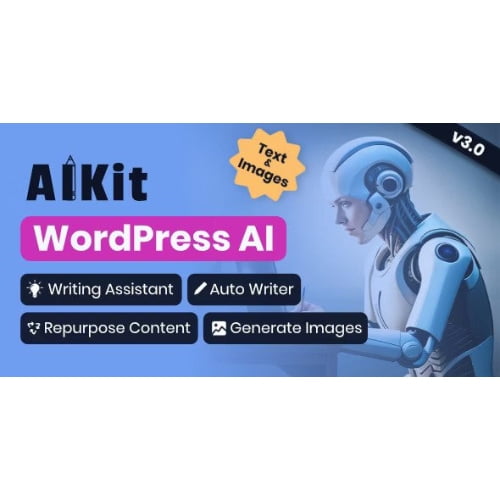
AIKit WordPress plugin GPL – AI Writing Assistant Tool
AIKit WordPress plugin helps website owners and content teams create and refine content directly in WordPress using OpenAI GPT. Use it for automated blog post writing, content rewriting and repurposing, or to add an AI chatbot to your site. It brings AI content generation and writing assistance together for publishers seeking a more streamlined content workflow.
- 100% genuine GPL-licensed original files
- Lifetime updates included with your purchase
- Instant download after checkout
- Scanned, clean and safe for use on unlimited websites

Subscribe Today
Get Monthly Plan with unlimited downloads @ 75% Off
Rs. 499 Only
₹59 Original price was: ₹59.₹2Current price is: ₹2.
Payment Methods:

Description
The AIKit WordPress plugin brings AI-assisted writing tools, content workflows and chatbot functionality into your WordPress environment. With OpenAI GPT integration, it can support tasks from drafting and refining text to repurposing existing content, helping you work more efficiently while keeping your site’s publishing process in one place.
Key Benefits
- Draft content with AI assistance: Use AI content generation to develop ideas and create written material for your site. It can help you move from a prompt or starting point to a draft that you can review and shape for your audience.
- Refine and repurpose existing work: Rework content for different purposes, or use writing assistance to improve a draft. This gives you more ways to make use of material you have already created and supports a more flexible publishing workflow.
- Add chatbot functionality: Build an AI chatbot for WordPress to give site visitors an interactive way to engage with your website. It can complement your content and create another point of contact for users.
- Bring writing tasks together: The AIKit AI writer plugin combines several AI-supported tasks in a WordPress tool. Rather than moving between separate services for every step, you can work on drafting, rewriting and content planning from your site’s administration area.
Who Is It For?
AIKit is suited to bloggers, publishers, freelancers, agency teams and business owners who manage a WordPress website and want AI support within their content workflow. It can be useful whether you are developing regular blog posts, updating existing pages or exploring chatbot functionality for a site. Content teams can also use it as a writing assistant for WordPress to support early drafts and editing tasks.
What You Get
- The AIKit plugin files for installation on a WordPress website.
- AI writing and content assistance features designed to work within WordPress.
- Tools for creating, rewriting and repurposing website content.
- Chatbot functionality for adding an AI-supported interaction to a site.
Included items are limited to the plugin and its available features; no separate theme or bundled asset set is specified.
Easy Installation
- Sign in to your WordPress dashboard and open the plugin installation area.
- Upload the AIKit plugin files, then install and activate the plugin.
- Open its settings and configure the available options, including any required OpenAI connection details, before using its tools.
Once set up, choose a suitable feature for your task, such as drafting text, revising a passage or exploring the chatbot tools. Review and edit generated material before publishing so it reflects your site’s voice and information.
Compatibility
AIKit is designed for use with WordPress. For the best experience, use the latest WordPress release and check the plugin’s current setup requirements before installation. WooCommerce compatibility is not specified in the available product information, so confirm any store-specific needs before relying on the plugin for a WooCommerce workflow.
Why SafeGPL
SafeGPL provides fast delivery so you can get started with your download promptly. The latest version available is provided, with clean files ready for use on your WordPress site. If you need help with your order or getting started, SafeGPL support is available to assist.
FAQ
How can I use AIKit in WordPress?
Install and activate the plugin from your WordPress dashboard, configure its available settings and choose the tool that suits your task. You can use it to assist with writing, content refinement, repurposing or chatbot functionality.
Does AIKit connect to OpenAI GPT?
Yes. AIKit includes OpenAI GPT integration for its AI-supported features. Follow the plugin’s setup guidance to configure the connection required for your use.
Can AIKit write a complete blog post for me?
It can assist with automated blog post writing and drafting. Treat generated text as a starting point: review it, check details and edit it to fit your readers and editorial standards.
Can I use AIKit to repurpose existing content?
Yes. Its writing tools support content rewriting and repurposing, helping you adapt existing material for another format or purpose. Review each result before publishing.
Does AIKit include AI image generation?
AI image generation is not confirmed in the available product details. The specified features focus on AI writing, content workflows and chatbot functionality.
Make AIKit Part of Your WordPress Workflow
The AIKit WordPress plugin gives site owners a practical way to bring AI-assisted writing and chatbot tools into WordPress. Use it to support drafting, refine existing copy and explore new ways to interact with visitors, while keeping editorial review in your hands.