


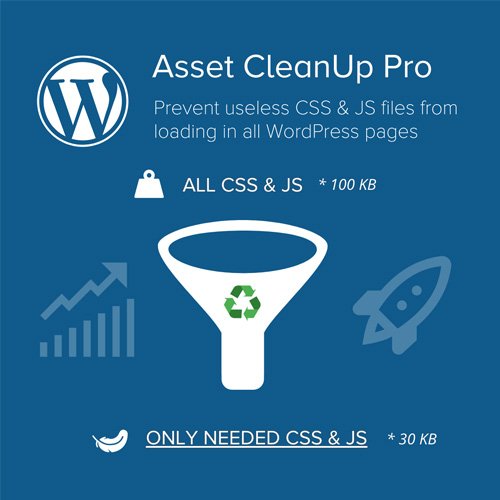
Asset CleanUp Pro plugin GPL – WordPress Speed Plugin
Asset CleanUp Pro plugin is a WordPress performance plugin for site owners and developers who want more control over page speed. Its script manager supports per-page CSS and JavaScript unloading, helping reduce unused assets on pages where they aren’t needed. Use Asset CleanUp Page Speed Booster PRO for practical WordPress asset management and stylesheet optimisation.
- 100% genuine GPL-licensed original files
- Lifetime updates included with your purchase
- Instant download after checkout
- Scanned, clean and safe for use on unlimited websites

Subscribe Today
Get Monthly Plan with unlimited downloads @ 75% Off
Rs. 499 Only
$59.00 Original price was: $59.00.$2.39Current price is: $2.39.
Payment Methods:

Description
The Asset CleanUp Pro plugin helps WordPress site owners manage the CSS and JavaScript files loaded on individual pages. By giving you more control over which assets are used where, it supports a focused approach to page speed optimisation and WordPress asset management. Instead of assuming that every page needs the same files, you can review asset loading in the context of each page’s content and features.
Key Benefits
- Control assets page by page: Use the script manager to review CSS and JavaScript files and choose where they load. This per-page asset control lets you tailor asset loading to the content and features on each page.
- Reduce unnecessary loading: Unload stylesheets and scripts on pages that do not need them. This can help limit unused assets and make your site’s resource loading more efficient.
- Support stylesheet optimisation: Review the stylesheets used across your site and manage them according to each page’s requirements. This helps you take a practical approach to unused CSS removal.
- Make informed performance changes: A central script manager gives you a clearer view of asset loading, so you can make considered changes as your pages and site features evolve.
These controls are intended to help you make targeted adjustments, rather than change asset loading across the whole site without considering page requirements. A careful review can also make it easier to understand which files are associated with particular content or features.
Who Is It For?
This WordPress performance plugin is suited to freelancers, developers, agency teams, bloggers and online store builders who want more control over the assets their sites load. It can be especially useful when different pages rely on different plugins or features, and you want to manage those requirements individually rather than apply the same asset choices everywhere.
For example, a site may have pages with different layouts or functionality. Reviewing each page can help you decide whether its stylesheets and scripts are needed there. The plugin provides a way to manage those choices, while the final settings remain specific to your site’s setup and the needs of its visitors.
What You Get
- The Asset CleanUp plugin package for installation on a WordPress site.
- PRO functionality for managing CSS and JavaScript loading, including per-page controls.
- Access to the plugin’s asset management interface after installation and activation.
- A digital download supplied through SafeGPL.
Check the product listing for the package information that applies to your order. Once installed, you can use the available interface to review assets and make changes where appropriate.
Easy Installation
- Download the plugin package and sign in to your WordPress dashboard.
- Open the plugins area, choose the option to add a plugin, and upload the downloaded package.
- Install and activate the plugin from the dashboard.
- Open its settings and review the available asset controls before making changes to individual pages.
Starting with a small number of pages can help you get familiar with the controls. Review each page after changing its asset settings to confirm that its content and features continue to work as expected. If a page does not behave as intended, revisit the asset choices you made and check which files its features require.
It is also useful to make changes in a deliberate way, checking the relevant page after each adjustment. This makes it easier to identify the effect of a setting and helps you keep track of the decisions made for different parts of your site.
Compatibility
Asset CleanUp is designed for WordPress websites. It can also be used as part of performance work on WooCommerce sites, where different pages may load different assets. As with any WordPress plugin, the way it works can depend on your site’s theme, plugins and configuration. Check the product listing for details about the latest version and its compatibility information.
Because a site’s assets can be connected to its theme and other plugins, review the pages and features that matter to your visitors after making changes. This helps you confirm that the site’s appearance and functionality remain suitable for your setup.
Why SafeGPL
SafeGPL provides fast delivery so you can access your download promptly. The latest version available is kept ready for customers, with clean, ready-to-use files for a straightforward start. Helpful support is available if you need assistance with your purchase or download. Choose the Asset CleanUp Pro plugin from SafeGPL to get started with a more considered approach to WordPress asset control.
Before purchasing, refer to the product listing for the current download and order information. This gives you a place to check the details available for the product and make an informed choice for your WordPress site.
FAQ
How does Asset CleanUp Pro work?
It lets you review the CSS and JavaScript assets used on your site and manage their loading on individual pages. You can unload assets where they are not needed, then check the affected pages to ensure everything works as intended.
Can I use it to manage assets on selected pages?
Yes. Per-page asset control is a core part of the plugin’s approach. It allows you to make asset decisions based on the requirements of each page instead of treating every page alike.
What is included with the download?
The download includes the plugin package for WordPress installation and its PRO functionality. Refer to the product listing for the current package details and any additional information about the download.
Where can I check the Asset CleanUp plugin price and license details?
Review the product listing for the current Asset CleanUp plugin price in India and the purchase details associated with the download. The listing is the best place to confirm what applies to your order.
Will it automatically speed up every page?
The plugin gives you tools to manage asset loading; results depend on the assets and setup of your website. Review pages after making changes so you can confirm that their appearance and functionality remain as expected.