
BricksExtras GPL – Premium BricksExtras addon for WordPress
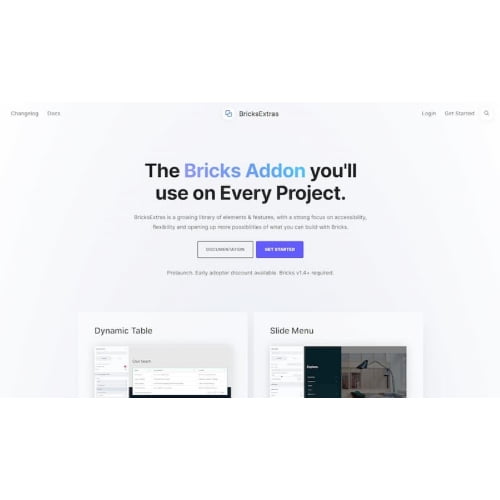
The BricksExtras addon extends Bricks Builder with additional elements for building and designing WordPress websites. It helps site creators add more options to their page layouts and streamline their website design workflow, including tools for working with dynamic data. A practical choice for designers and developers who use Bricks Builder as their WordPress page builder.
- 100% genuine GPL-licensed original files
- Lifetime updates included with your purchase
- Instant download after checkout
- Scanned, clean and safe for use on unlimited websites

Subscribe Today
Get Monthly Plan with unlimited downloads @ 75% Off
Rs. 499 Only
$59.00 Original price was: $59.00.$2.39Current price is: $2.39.
Payment Methods:

Description
The BricksExtras addon adds extra elements and design options to Bricks Builder, giving you more ways to create and refine WordPress page layouts. It is designed for site creators who want a more flexible website design workflow, including options for working with dynamic data. By bringing additional building blocks into your existing builder workflow, it can give you more choices when shaping pages for different audiences and purposes.
Key Benefits
- More layout options: Additional elements give you more building blocks to use in your pages, helping you shape layouts around the needs of each website. You can choose the options that fit a particular page rather than relying on the same basic structure throughout a site.
- A more streamlined workflow: Keep your design work within Bricks Builder and use the addon’s elements as part of your existing page-building process. This can be useful when you want to work on page layouts in the builder you already use.
- Support for dynamic content work: Dynamic data elements can help you incorporate changing or structured content into layouts where your website setup calls for it. This gives site creators options to consider when a page needs to present information that is managed as data.
- Useful for varied projects: Whether you are creating a business website, a content-focused site or a client project, the added options can help you build pages with greater flexibility. The right elements will depend on the layout and content you are creating.
These additions are intended to support your design process, not replace the planning needed for a clear and usable website. You can select the elements that suit each project and keep the rest of your Bricks Builder workflow familiar.
Who Is It For?
BricksExtras for Bricks Builder is suited to freelancers, web designers, developers, agency teams and business owners who build websites with Bricks Builder. It can be a practical addition for people who regularly create custom layouts, work with dynamic content or want more design options available in their WordPress page builder.
If you manage several client websites, the addon’s additional options may be useful as you adapt page layouts to different project requirements. Business owners who maintain their own WordPress sites can also explore the available elements when creating or updating pages. Its usefulness will depend on the features you need and how your Bricks Builder website is set up.
What You Get
- Access to the BricksExtras addon files for use with a Bricks Builder website.
- The addon’s available elements and functionality, as provided in the download.
- Files intended for installation through the WordPress dashboard.
- A product download supplied by SafeGPL, ready for you to install and activate.
The included package is focused on the addon itself. No separate theme, bundled asset library or documentation is specified as part of this item. Check the product and download details for information about the files included with your order, particularly if you need a specific feature or resource for your project.
Easy Installation
- Sign in to your WordPress dashboard and open the plugin installation area.
- Upload the BricksExtras addon files, then install and activate the plugin.
- Open your Bricks Builder workflow and use the addon’s available options when building or editing a page.
Follow any instructions provided with the download, and make sure Bricks Builder is available on your website before using the addon. After installation, review the options available in your builder and select the elements that suit the page you are working on. If your website has a customised setup, check that the addon works as intended before using it across important pages.
Compatibility
This addon is designed for websites using Bricks Builder on WordPress. Use the latest WordPress release for your site, and check that your Bricks Builder setup is active before installing. Specific WordPress addon compatibility can depend on the website’s configuration and the installed builder setup. WooCommerce compatibility is not specified for this product, so confirm your intended store use before relying on any particular WooCommerce feature.
As with any plugin, your site’s existing configuration may affect how an addon fits into your workflow. Consider your current builder setup and intended use before installation, and review the product information if you need to confirm a particular compatibility detail.
Why SafeGPL
SafeGPL offers fast delivery so you can access your purchase without unnecessary waiting. The latest version available is provided, with clean files that are ready to use in your WordPress workflow. If you need help with your order or download, the SafeGPL support team is available to assist. Choose the BricksExtras premium addon from SafeGPL to add more building options to your Bricks Builder projects.
Before purchasing, review the product page for current information about the download and any details relevant to your website. This helps you check that the addon suits your intended Bricks Builder workflow.
BricksExtras Addon FAQs
What does the BricksExtras addon do?
It extends Bricks Builder with additional elements and options for creating WordPress page layouts, including tools for working with dynamic data.
Do I need Bricks Builder to use this addon?
Yes. The addon is intended for use with Bricks Builder, so have the builder set up on your WordPress website before installing it.
How do I install the plugin?
Upload the supplied addon files through the WordPress dashboard, install and activate them, then access the available options in your Bricks Builder workflow.
Does the download include a BricksExtras license key?
License key details are not specified in this product information. Review the purchase and download details for the exact inclusions associated with your order.
Where can I check BricksExtras pricing and availability?
Visit the product page on SafeGPL to see current BricksExtras pricing and availability. If you want to buy the BricksExtras addon in India, you can review the available purchase options there.