
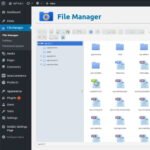


FileBird – WordPress Media Library Folders
- Original GPL Product from the developer
- 100% Clean Files & Free From Virus
- Unlimited Domain Usage
- Free New Version
- Regular Updates
- Use it for Personal or Client Projects
- Get this product for free in membership
- License : GPL

Subscribe Today
Get Monthly Plan with unlimited downloads @ 75% Off
Rs. 499 Only
₹1,299 Original price was: ₹1,299.₹199Current price is: ₹199.
Payment Methods:

Description
FileBird – WordPress Media Library Folders: The Ultimate Organization Powerhouse
As a Senior WordPress Developer and SEO Content Specialist with over a decade of experience managing thousands of digital assets, I can tell you that the default WordPress Media Library is a disaster zone waiting to happen. For small blogs, it’s tolerable. For growing e-commerce sites, directories, or enterprise platforms, it quickly becomes an unmanageable bottleneck, leading to frustration, wasted time, and broken workflows. If you find yourself endlessly scrolling through thousands of unorganized images and documents just to find one file, you are experiencing the efficiency drain. The solution I consistently recommend to clients who are serious about their backend productivity is FileBird – WordPress Media Library Folders.
This plugin is not just an organizational tool; it is a fundamental workflow transformation. It takes the flat, cluttered native media library and turns it into a responsive, intuitive, folder-based filing system, much like your desktop Finder or Windows Explorer. After integrating FileBird – WordPress Media Library Folders into countless projects, I can attest to its immediate, tangible benefits in terms of speed and administrative sanity. We’re talking about shaving hours off content production every week.
Many site owners look for a reliable FileBird GPL download or a way to buy FileBird WordPress Media Library Folders cheap because they recognize the value of professional asset management. The core functionality—the ability to create, categorize, and manage files in folders—is paramount for maintaining a clean, efficient website environment in 2026.
Key Features That Redefine Media Management
When evaluating a media organization tool, it must offer more than just basic grouping. FileBird excels by providing sophisticated features that integrate seamlessly into the existing WordPress infrastructure. Here are the standout capabilities that make this plugin essential:
- Drag-and-Drop Folder Interface: This is the headline feature. FileBird introduces a familiar tree-view folder structure directly into your media library. You can create, rename, and delete folders with a simple click, and most importantly, move files into them by simply dragging and dropping. This simple innovation completely eliminates the need to rely on the default, linear list view.
- Smart Context Menu and Batch Management: Organizing hundreds or thousands of files is no longer a tedious chore. FileBird provides a smart context menu (right-click functionality) for folders, allowing for quick actions. Furthermore, you can select multiple files and perform batch actions, dramatically accelerating the cleanup process, especially when you buy FileBird WordPress Media Library Folders cheap for a large existing site.
- Compatibility with Page Builders and Classic Editor: Unlike some siloed tools, FileBird integrates natively with the core media upload processes across WordPress. Whether you are using the Classic Editor, the Gutenberg Block Editor, or popular page builders like Elementor or Divi, the folder structure is accessible right from the insertion dialogue. This means your organized structure is present exactly where you need it most—during content creation.
- Advanced Sorting Options: While drag-and-drop handles manual organization, FileBird also offers multiple automatic sorting modes (e.g., by name, date, size, or file type). This flexibility allows you to quickly locate assets, saving valuable time.
- Multilingual and Multi-site Ready: For agencies and developers managing international clients, FileBird WordPress Media Library Folders is fully compatible with multilingual plugins like WPML and multi-site installations, ensuring your structure remains intact across complex setups.
The Strategic Business Benefits of Using FileBird
For any serious WordPress professional, the decision to invest in a productivity tool boils down to ROI. Why should you consider a discount FileBird WordPress GPL package or invest in the premium version? The benefits go far beyond aesthetic organization:
Enhanced Content Workflow and Speed
Time is the most expensive resource in content creation. When content specialists spend minutes searching for a logo, a specific product image, or a high-resolution banner, that time is lost revenue. By providing an instant, filterable, folder-based view, FileBird – WordPress Media Library Folders ensures that images and documents are accessible immediately, accelerating the publishing pipeline and allowing your team to focus on quality content rather than asset retrieval.
Improved SEO Consistency
Organization reduces errors. When files are scattered, it’s easy to upload duplicates, use incorrectly sized images, or miss applying crucial alt text. A structured library helps enforce naming conventions and quality control, which indirectly contributes to better on-page SEO health. This is a critical consideration for those seeking a high-ranking FileBird null plugin alternative that offers long-term reliability.
Simplified Client Handoff and Maintenance
For developers, a messy media library complicates site handoff and future maintenance. When you deploy a site using FileBird – WordPress Media Library Folders, you are handing over a clean, understandable system. Clients can instantly grasp where “Logos,” “Product Photography,” or “Ebooks” are stored, drastically cutting down on post-launch support requests.
Optimized Resource Management
Finding old, unused, or duplicate files becomes trivial with a folder structure. This allows administrators to easily identify and delete unnecessary assets, keeping the database lean and preventing excessive consumption of disk space. This is a key operational advantage for large sites.
If you have been looking for a secure FileBird free download, understand that the stability and constant updates provided by the official or reputable GPL sources are what truly safeguard your organized structure. Relying on an expertly integrated solution like this in 2026 is non-negotiable for competitive websites.
Technical Specifications and Compatibility
One of the primary questions I receive as an experienced WordPress Developer is regarding compatibility, especially in complex environments:
FileBird has proven itself to be lightweight and non-disruptive, managing to organize media without slowing down the dashboard. It works by creating new taxonomy tables in the database, allowing for a robust, scalable folder structure that doesn’t modify the core WordPress file path structure. This means the organization is purely administrative and doesn’t break existing image links on your front end.
- WordPress Version: Compatible with all modern WordPress versions (5.0+).
- PHP Compatibility: Stable across recommended PHP versions (7.4+).
- E-commerce Integration: Fully functional alongside WooCommerce, allowing quick access to product images and catalogs.
- Builder Integration: Tested and working with Elementor, Divi, Beaver Builder, and Visual Composer.
- Third-Party Plugin Support: Seamless integration with essential translation plugins (WPML, PolyLang) and other admin-enhancing tools.
In conclusion, the decision to install FileBird – WordPress Media Library Folders is a strategic move for any WordPress site reaching asset critical mass. It elevates a frustrating administrative task into a streamlined, productive experience. Whether you manage a small business site or a massive content hub, investing in this organizational powerhouse ensures you maintain control, speed, and efficiency in the competitive digital landscape of 2026. Stop scrolling for files, and start organizing with FileBird.