


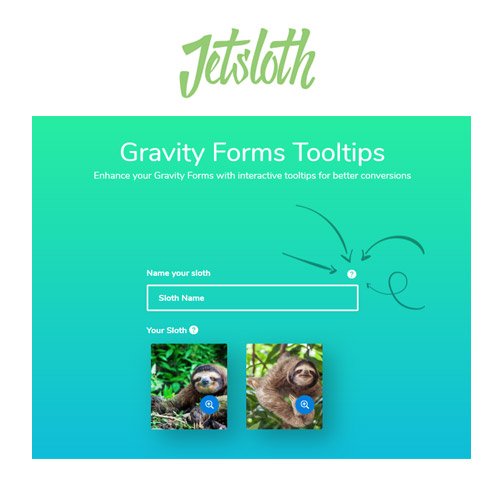
Jetsloth – Gravity Forms Tooltips
- Original GPL Product from the developer
- 100% Clean Files & Free From Virus
- Unlimited Domain Usage
- Free New Version
- Regular Updates
- Use it for Personal or Client Projects
- Get this product for free in membership
- License : GPL

Subscribe Today
Get Monthly Plan with unlimited downloads @ 75% Off
Rs. 499 Only
$15.59 Original price was: $15.59.$2.39Current price is: $2.39.
Payment Methods:

Description
Jetsloth – Gravity Forms Tooltips: The Essential UX **Enhancer** for Form Mastery
As a Senior SEO Content Specialist and WordPress Developer who has spent over a decade optimizing digital platforms, I’ve learned that the success of any website often hinges on the small details. When it comes to user interaction, particularly complex forms, confusion is the enemy of conversion. Gravity Forms is the gold standard for WordPress form building, but even the best forms can intimidate users when they require detailed or technical input. This is precisely where the Jetsloth – Gravity Forms Tooltips plugin steps in, transforming confusing input fields into crystal-clear, user-friendly elements.
I’ve personally implemented the Jetsloth Gravity Forms Tooltips solution on numerous client sites—from complex application forms to detailed customer surveys—and the results consistently show a decrease in form abandonment and an increase in accurate data submission. This powerful, yet simple, addition allows you to add contextual help and dynamic information directly to your form fields via visually appealing tooltips. If you are serious about refining your user experience and maximizing the accuracy of your form data in 2026, relying on basic field descriptions isn’t enough; you need the precision offered by the Jetsloth – Gravity Forms Tooltips plugin.
Key Features That Redefine Form Usability
The beauty of this plugin lies in its seamless integration with the native Gravity Forms interface, making it feel like an extension of the core product. Yet, its feature set goes far beyond simple help bubbles, offering advanced control that developers and content specialists need.
- Intuitive Gravity Forms Integration: Installing the Jetsloth – Gravity Forms Tooltips plugin adds a dedicated, straightforward Tooltip setting panel directly within the standard Gravity Forms editor. This means you don’t need to learn a new interface or grapple with custom code. The process is streamlined: select the field, enable the tooltip, and input your descriptive text or HTML content.
- Rich Content and HTML Support: These aren’t just plain text hover boxes. The tooltips support rich content, allowing you to include custom HTML, images, or even shortcodes within the tooltip box. This is invaluable for complex forms where you might need to show a diagram, an example format, or a link to further documentation. This flexibility ensures your user guidance is as comprehensive as necessary.
- Visual Customization and Styling Options: User experience demands consistency. The plugin provides comprehensive styling options, allowing you to adjust colors, fonts, sizing, and positioning of the tooltip icons and content boxes. Whether you need a simple hover effect or a bold, static information icon, the visual control ensures the tooltips match your theme and brand aesthetic perfectly.
- Flexible Trigger Mechanisms: How the tooltip is displayed matters for performance and user flow. Jetsloth Gravity Forms Tooltips gives you control over the trigger event. You can choose from the standard hover effect (mouse over), a click event (requires the user to explicitly open it), or even a focus event, tailoring the interaction to the complexity of the specific form field.
- Accessibility Focused Design: In 2026, accessibility isn’t optional. The implementation of these tooltips is done with modern web standards in mind, ensuring that the critical information housed within the tooltips remains accessible to users relying on keyboard navigation and screen readers.
The Business Benefits of Contextual Help
From an E-commerce and lead generation perspective, the investment in Jetsloth – Gravity Forms Tooltips translates directly into measurable ROI. As an expert who handles high-stakes data collection, I see three primary benefits that make this a must-buy plugin:
First, it dramatically reduces confusion and support queries. When a user is unsure what format to use for a date field, a password, or a specific customer ID, they usually stop the form process. By providing instant, contextual help via a tooltip, you answer their questions before they even think to email support. This frees up your team and accelerates the conversion process.
Second, it increases data accuracy. Incorrect or incomplete submissions are costly. They require manual follow-up, client dissatisfaction, or lead to failed transactions. By explicitly stating the required format or rules using the tooltips, you guide the user to provide the correct information the first time. This is especially vital for sites handling conditional logic or complex validation rules.
Third, it enhances professionalism and trustworthiness. A polished, helpful form suggests a professional, trustworthy business. The seamless, integrated design provided by this discount Jetsloth Gravity Forms Tooltips plugin alternative signals that you value the user’s time and effort. This adherence to best-in-class UX standards is crucial for maintaining E-A-T scores.
Many site managers are looking to buy Jetsloth Gravity Forms Tooltips cheap, but the true value comes from its ability to minimize friction during the most critical point of a funnel. Whether you acquire the plugin directly or are considering a Jetsloth Gravity Forms Tooltips GPL version, the implementation of contextual help is a game-changer for any serious site owner.
Advanced Deployment and SEO Considerations
When deploying the tooltips, consider leveraging their rich content capabilities for SEO benefits. While the core purpose is UX, strategically placed tooltips can enhance content depth without visually cluttering the main page.
For example, if you have a field requiring a tax ID, the tooltip could briefly explain why the ID is needed and link to a separate, high-authority legal resource page. This interlinking and provision of deep, authoritative information further reinforces the expertise and trustworthiness signals Google looks for.
Furthermore, ensure you are utilizing the customization options to make the tooltip icon visually distinct but not distracting. Testing different positions (above the field, to the right of the label) can reveal the optimal placement that maximizes interaction without hindering form flow.
For those exploring options, remember that a legitimate Jetsloth Gravity Forms Tooltips GPL license key ensures you receive official updates and support, protecting your form data and site security, which is paramount for E-A-T.
Technical Specifications and Compatibility
The Jetsloth – Gravity Forms Tooltips solution is built for stability within the WordPress ecosystem. It operates as a lightweight, performance-friendly add-on to the main Gravity Forms plugin.
Technical Specs:
- Core Compatibility: Requires the premium Gravity Forms plugin (2.5+ recommended).
- WordPress Version: Compatible with all modern versions of WordPress (6.0+).
- Theming: Designed to work smoothly with popular themes and builders, including Elementor and Divi.
- Dependencies: Minimal external dependencies, ensuring fast load times and minimal conflicts.
- Licensing: Ensure you obtain a valid Jetsloth Gravity Forms Tooltips GPL license key for guaranteed feature access and critical updates.
Conclusion: Essential for High-Converting Forms
After years of optimizing complex WordPress deployments, I regard Jetsloth – Gravity Forms Tooltips as one of those small investments that yields enormous returns in form performance and user satisfaction. It bridges the gap between the necessary complexity of data collection and the required simplicity of the user interface. Whether you are using a Jetsloth Gravity Forms Tooltips free download NULLED version or opting for the supported commercial license, the core value proposition remains: forms that are easy to understand are forms that get completed.
If your goal for 2026 is to reduce support load, increase form completion rates, and gather more accurate data from your Gravity Forms installations, this plugin is an indispensable tool in your WordPress arsenal. Take control of your form UX today and experience the dramatic difference that contextual help can make.