


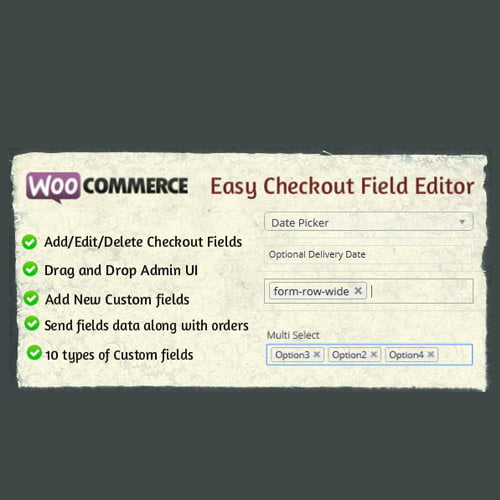
WooCommerce Easy Checkout Field Editor
- Original GPL Product from the developer
- 100% Clean Files & Free From Virus
- Unlimited Domain Usage
- Free New Version
- Regular Updates
- Use it for Personal or Client Projects
- Get this product for free in membership
- License : GPL

Subscribe Today
Get Monthly Plan with unlimited downloads @ 75% Off
Rs. 499 Only
$15.59 Original price was: $15.59.$2.39Current price is: $2.39.
Payment Methods:

Description
WooCommerce Easy Checkout Field Editor: The Ultimate Conversion Optimizer
As a Senior WordPress Developer and SEO Content Specialist with over a decade of experience in optimizing e-commerce platforms, I can tell you that the difference between a high-converting store and one that struggles often comes down to the checkout process. The default WooCommerce checkout page, while functional, is notoriously rigid. It forces users to fill out fields that may be irrelevant to your specific business model, leading to friction, confusion, and—most importantly—abandoned carts. This is where the WooCommerce Easy Checkout Field Editor plugin becomes absolutely essential.
This powerful tool fundamentally transforms the way you manage and customize your WooCommerce checkout page. It is not just about moving or hiding fields; it’s about engineering a seamless, personalized buying experience that dramatically boosts your conversion rates. If you’ve ever wished you could easily add, edit, or remove fields from the billing, shipping, or additional fields sections without touching a single line of code, this plugin is the solution you need. We’re talking about a tool that gives you the competitive edge required to succeed in the crowded digital marketplace of 2026. Forget complicated code snippets or relying on outdated methods; this plugin is all about ease and efficiency, making it simple to buy WooCommerce Easy Checkout Field Editor cheap and gain immediate control over your funnel.
Core Customization Features That Drive Sales
The strength of the WooCommerce Easy Checkout Field Editor lies in its robust, user-friendly feature set. These are the elements that separate this tool from basic field managers, providing true flexibility for any e-commerce niche:
- Intuitive Drag-and-Drop Editor: The backbone of the plugin is a simple, modern interface that requires no technical skill. You can rearrange, add, or delete fields in the Billing, Shipping, and Additional fields sections simply by dragging them into place. This visual control significantly cuts down on development time, allowing you to iterate on your checkout form quickly.
- Support for 14+ Custom Field Types: Beyond the standard text inputs, the WooCommerce Easy Checkout Field Editor allows you to add complex data capture methods. These include Text Areas, Select/Dropdown lists, Checkboxes, Radio Buttons, Date Pickers, Time Pickers, and even File Uploads. This variety ensures you can collect exactly the information your fulfillment process requires, whether you are selling physical goods or digital services.
- Conditional Logic for Fields: This is a game-changer for reducing checkout friction. With conditional logic, you can display or hide fields based on other fields’ values, product selections, or even user roles. For instance, you could show a “Preferred Installation Date” field only if the customer selects a specific service product. This streamlined experience ensures customers only see fields relevant to their purchase, preventing checkout fatigue.
- Field Validation and Required Status: Maintain data integrity by setting custom validation rules (like numerical-only input or specific email formats) and easily marking fields as required or optional. This feature helps eliminate incomplete orders and messy customer data, a necessity for professional operations that often acquire the WooCommerce Easy Checkout Field Editor GPL license for their multi-site needs.
Business Benefits: The ‘Why’ Behind the Investment
While the features are impressive, the real value of the WooZeneca WooCommerce Easy Checkout Field Editor plugin is in the tangible business results it delivers. My experience shows that customizing the checkout process directly impacts the bottom line:
Increased Conversion Rates: The single biggest benefit is conversion optimization. By removing unnecessary fields (like the “Company Name” or “Fax Number” if you are B2C) and renaming confusing labels, you shorten the form, reduce perceived effort, and guide the customer swiftly to the “Place Order” button. A more relevant form equals fewer second thoughts and higher completed sales.
Enhanced Data Collection: Modern e-commerce relies on accurate customer data for marketing, segmentation, and logistics. The ability to add custom fields allows you to gather specific insights—like “How did you hear about us?” or custom personalization details—directly at the point of sale, improving future marketing efforts. Businesses looking to expand their operations often seek a discount WooCommerce Easy Checkout Field Editor plugin to deploy this strategy across multiple stores.
Improved Fulfillment Efficiency: Custom fields can be used to capture critical logistics information that the default WooCommerce system misses. Need the customer to specify a delivery gate code or a preferred carrier? Add a custom field. This ensures your warehouse team has all necessary details instantly, reducing delivery delays and customer service complaints, contributing directly to a smoother operation.
Compliance and Localization: Different regions require different information. For example, some countries require specific tax identification numbers. With this editor, you can make regional adjustments quickly to ensure legal compliance or better serve international customers without relying on a full WooCommerce Easy Checkout Field Editor free download NULLED version, which lacks the support and security necessary for a professional operation.
Technical Specifications and Compatibility
The WooCommerce Easy Checkout Field Editor is designed to integrate flawlessly into the modern WordPress and WooCommerce ecosystem. It operates smoothly alongside key frameworks and ensures stability:
- Compatibility: Fully compatible with the latest versions of WordPress and WooCommerce (typically tested up to the most current major releases).
- Theme Neutrality: Works reliably with all standard and modern WooCommerce-compatible themes, including Divi, Astra, and Storefront.
- Field Types Supported: Text, Hidden, Password, Textarea, Select, Multi-select, Radio, Checkbox, Checkbox Group, File Upload, Date, Time, Color Picker, and Heading.
Whether you are an individual developer managing a single store or an agency needing a stable, high-performance tool, investing in the WooCommerce Easy Checkout Field Editor null license alternative (the official, supported version) is the smart move. It provides the flexibility required to tackle complex e-commerce challenges, ensuring your checkout process is a conversion asset, not a liability, well into 2026.
By simplifying the checkout for your customers and simultaneously customizing the data collection for your business, the WooCommerce Easy Checkout Field Editor GPL approach gives you total control, resulting in a more efficient, profitable e-commerce presence.
In summary, eliminating checkout friction is paramount to scaling an online business. The intuitive nature, comprehensive field support, and powerful conditional logic features confirm that the WooCommerce Easy Checkout Field Editor is an indispensable plugin for any serious WooCommerce store owner aiming for maximum profitability and customer satisfaction today and beyond.