


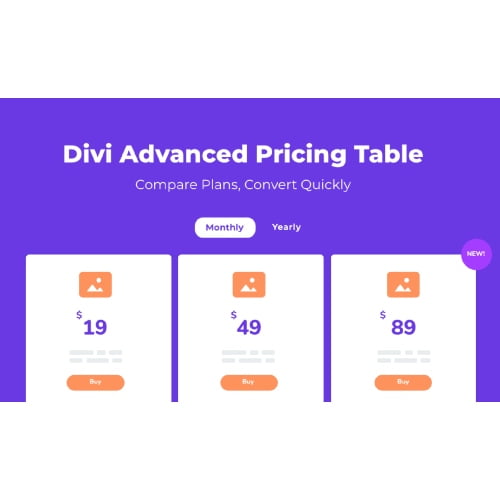
Advanced Pricing Table For Divi GPL – Divi pricing table plugin
Advanced Pricing Table For Divi is a Divi pricing table plugin that helps website owners create clear plan comparisons in the Divi Builder. Arrange pricing tiers and key features in a table, then guide visitors towards a suitable option with a call to action button. It suits businesses and creators presenting services or subscriptions online.
- 100% genuine GPL-licensed original files
- Lifetime updates included with your purchase
- Instant download after checkout
- Scanned, clean and safe for use on unlimited websites

Subscribe Today
Get Monthly Plan with unlimited downloads @ 75% Off
Rs. 499 Only
$59.00 Original price was: $59.00.$2.39Current price is: $2.39.
Payment Methods:

Description
Advanced Pricing Table For Divi is a Divi pricing table plugin for presenting plans and their features in a clear, organised format. It helps you build plan comparisons in the Divi Builder so visitors can review pricing tiers and take the next step using a call to action button. Instead of making people search through separate sections to understand what is included, you can place relevant plan details together in a comparison layout.
Use the table to explain the differences between your offers and make important information easier to scan. You can arrange pricing and features around the way you want to present your services, memberships or subscriptions. A well-organised comparison can help visitors see which option may suit their needs and what they can do next.
Key Benefits of Advanced Pricing Table for Divi
- Make plan comparisons easier. Display pricing and key features together so visitors can compare options without searching across separate sections of your page. Keeping related details in one place makes it simpler to review the choices.
- Present pricing tiers clearly. Organise service packages or subscription options in a structured layout that helps customers understand what each plan offers. Use plan names and feature descriptions that match your offer.
- Support confident decisions. A clear feature comparison gives visitors useful information at the point where they are considering an offer. They can review the differences before choosing whether to continue.
- Guide visitors towards action. Add a call to action button to your pricing presentation and direct interested visitors towards the next step you want them to take. This could be the action that makes sense for your offer.
- Keep pricing information within your page. Build the comparison as part of a Divi page, so visitors can review your plans alongside the rest of your website content.
Who Is It For?
This product is suited to freelancers, agency owners, service businesses, creators and website builders who use Divi to explain their offers. Whether you are displaying service packages, memberships or recurring pricing, a Divi pricing table module can help make the choices easier to scan and compare. It is also useful for site owners who want their pricing information to sit neatly within a Divi-built page.
For example, a freelancer could use a table to outline different service packages, while a business could use it to explain what is included in each subscription tier. A creator might present membership options, and an agency could compare its available service levels. The product provides a way to organise these details; the content and pricing you display depend on your own offer.
What You Get
- Advanced Pricing Table For Divi plugin files for use with a Divi website.
- A pricing table experience for arranging plan details and features in a comparison layout.
- Support for presenting pricing tiers and guiding visitors with a call to action button.
The download is focused on the named plugin. No separate theme, bundled asset pack or documentation is specified as part of this item. Prepare the plan names, prices and feature descriptions you want to show, then add them to your pricing presentation in the Divi Builder.
Easy Installation
- Sign in to your WordPress dashboard and open the plugin installation area.
- Upload the Advanced Pricing Table For Divi plugin files, then install and activate the plugin.
- Open a page in the Divi Builder, add the pricing table module and configure the plan information for your page.
Once your pricing content is in place, review the page to make sure plan names, features and calls to action are easy for visitors to understand. Check that the details are accurate and that each button points visitors towards the intended next step. A review also gives you a chance to confirm the comparison reads clearly on the page.
Compatibility
Advanced Pricing Table For Divi is intended for websites using WordPress and the Divi Builder. Use it within a Divi page to create and arrange pricing comparisons. Check your site’s setup before installation to ensure the Divi Builder is available. WooCommerce compatibility is not specified for this product, so do not assume that it provides a WooCommerce integration.
Why SafeGPL
SafeGPL makes it straightforward to get your plugin files with fast delivery. You can access the latest version available and use clean, ready-to-use files for your website. Helpful support is available to assist with your purchase and getting started. Choose SafeGPL for a simple way to find a WordPress pricing table plugin for your Divi site.
After receiving the files, you can install the plugin on your WordPress website and begin putting your plan information into a Divi page. Keep your comparison focused on details that help visitors understand the options, such as what each plan includes and how to proceed.
FAQ
What does Advanced Pricing Table For Divi do?
It helps you create pricing tables in the Divi Builder, arranging plans and features so visitors can compare options on your website. You can present pricing tiers and include a call to action button as part of your pricing presentation.
Can I use it to compare service packages?
Yes. You can use a pricing table to present service packages, outline what each includes and help visitors review the differences. Add clear descriptions that reflect the services you actually provide.
Can I display subscription pricing?
You can use the table to present subscription or recurring pricing information as part of your plan details. Choose wording and pricing terms that suit your offer, and make the features associated with each option clear to visitors.
How do I add pricing tables in Divi?
Install and activate the plugin, then open the relevant page in the Divi Builder. Add the pricing table module and configure the plans, features and call to action for your page. Review the finished content before publishing to ensure the information is clear and accurate.
Where can I get the Divi pricing table plugin?
You can get Advanced Pricing Table For Divi from SafeGPL, with fast delivery and access to the latest version available. It offers a practical way to build clear pricing comparisons directly into a Divi-powered website.