


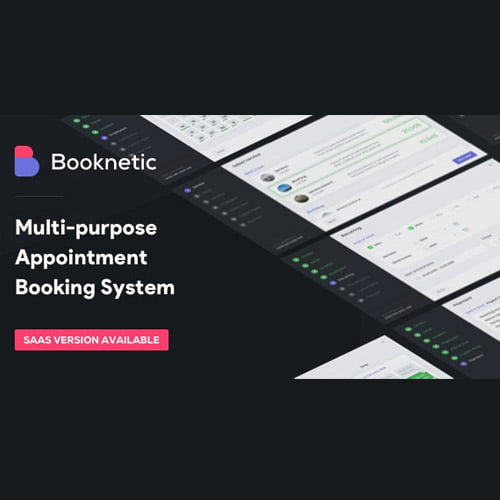
Booknetic GPL – WordPress appointment booking plugin
Booknetic is a WordPress appointment booking plugin for businesses that offer appointments or scheduled services. It helps customers book online and gives business owners a central way to manage appointment scheduling through their WordPress website. Use this Booknetic booking plugin to make it easier for clients to find a suitable time and arrange a visit.
- 100% genuine GPL-licensed original files
- Lifetime updates included with your purchase
- Instant download after checkout
- Scanned, clean and safe for use on unlimited websites

Subscribe Today
Get Monthly Plan with unlimited downloads @ 75% Off
Rs. 499 Only
₹59 Original price was: ₹59.₹2Current price is: ₹2.
Payment Methods:

Description
Booknetic is a WordPress appointment booking plugin that helps businesses accept and organise service bookings through their website. It gives customers a convenient way to request appointment times while giving site owners a central place to manage the scheduling process.
With an online booking system on your WordPress site, visitors can explore available services and arrange a booking without relying only on calls or messages. Booknetic brings appointment scheduling into your website workflow, helping make the booking experience clearer for both clients and staff.
Key Benefits of This WordPress Appointment Booking Plugin
- Make booking more convenient: Give website visitors an online way to arrange appointments, so they can take the next step when it suits them.
- Keep scheduling organised: Manage appointment information from your WordPress website instead of handling every booking as a separate conversation.
- Present services clearly: Use service and staff management tools to organise what you offer and help customers navigate the booking process.
- Shape the booking experience: Booking form customisation options can help align the booking journey with the information your business needs to collect.
Depending on your setup and the options available in your installation, features such as automated booking notifications, payment integrations and Google Calendar sync can support the wider appointment workflow. These tools can help connect booking activity with the way your business communicates and manages its schedule.
Who Is It For?
Booknetic is suited to freelancers, service businesses, consultants, studios and agencies that arrange appointments through a WordPress website. It can also work for web designers and store builders creating booking sites for clients. If your business needs a clear online route for customers to request a service or appointment, the Booknetic booking plugin provides a focused starting point.
What You Get
- Booknetic plugin files for use with a WordPress website.
- The booking functionality provided by the plugin for setting up an appointment workflow.
- Access to the plugin’s available booking and scheduling settings after installation.
- Download files supplied through SafeGPL for installing the product.
The exact settings and available options can depend on the installed plugin build and your website configuration. Review the available controls after activation to set up the booking experience that fits your services.
Easy Installation
- Download the Booknetic plugin files from your SafeGPL account.
- In your WordPress dashboard, open the plugin installation area and upload the downloaded file.
- Install the plugin, then activate it from your WordPress dashboard.
- Configure the booking options and add the booking experience to your site as needed.
Once setup is complete, review the customer-facing booking journey and make sure the service information and scheduling options match your business.
Compatibility
Booknetic is a plugin for WordPress and is intended for use on a WordPress website. For the best experience, use the latest WordPress and check the plugin’s available settings during setup. WooCommerce compatibility is not specified in the product information, so confirm any store-related requirements before planning a WooCommerce workflow.
Why SafeGPL
SafeGPL makes product delivery straightforward, with fast access to your download after purchase. The latest version available is provided, so you can get started with current files. Downloads are clean and ready to use, and helpful support is available if you need guidance along the way. SafeGPL helps you move from choosing a tool to setting up your website with confidence.
FAQ
What does Booknetic do?
Booknetic adds appointment booking and scheduling functionality to a WordPress website. It helps visitors arrange appointments online and gives site owners a place to manage the booking process.
How do I use Booknetic with WordPress?
Install and activate the plugin through your WordPress dashboard, then configure its available booking settings. Add the booking experience to your site and check how it appears to customers before sharing it.
Can I customise the booking form?
Booknetic includes booking form customisation options. The settings available in your installation can help you tailor the booking journey and the information requested from customers.
Does Booknetic support payments or calendar syncing?
Payment integrations and Google Calendar sync are relevant options to check in the plugin’s settings and documentation for your setup. Availability can depend on the configuration and integrations you plan to use.
Is Booknetic suitable for a small service business?
Yes. Freelancers and service businesses can use it to offer online appointment booking through their WordPress website. This WordPress appointment booking plugin helps bring service information and scheduling into one customer-facing workflow.