


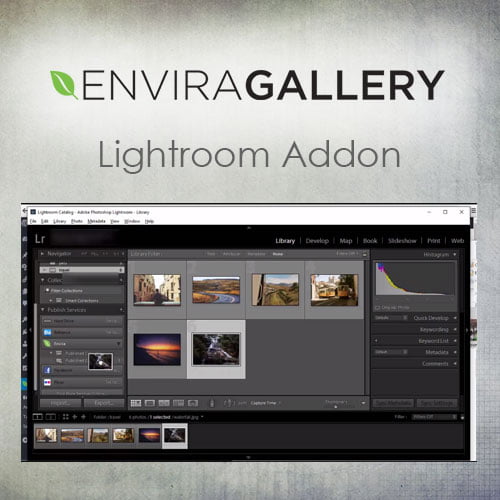
Envira Gallery – Lightroom Addon
- Original GPL Product from the developer
- 100% Clean Files & Free From Virus
- Unlimited Domain Usage
- Free New Version
- Regular Updates
- Use it for Personal or Client Projects
- Get this product for free in membership
- License : GPL

Subscribe Today
Get Monthly Plan with unlimited downloads @ 75% Off
Rs. 499 Only
₹1,299 Original price was: ₹1,299.₹199Current price is: ₹199.
Payment Methods:

Description
Envira Gallery – Lightroom Addon: Revolutionize Your WordPress Photography Workflow
As a seasoned WordPress Developer and SEO Content Specialist who has spent over a decade optimizing platforms for photographers and creative professionals, I’ve seen firsthand the friction that often exists between professional photo management software and a robust CMS like WordPress. For photographers using Adobe Lightroom as their primary editing and cataloging tool, the process of exporting, uploading, and managing galleries on a WordPress site has traditionally been a time-consuming, repetitive nightmare. If you are one of the millions relying on this powerful combination, you know the pain point: how do you seamlessly transition your meticulously organized Lightroom collections directly onto your high-performance Envira Gallery pages?
The answer is the Envira Gallery – Lightroom Addon. This powerful integration is not just a bridge; it’s an automated highway that connects your desktop workflow to your live website, ensuring your stunning photography updates are instant, efficient, and perfectly displayed. In 2026, professional speed and efficiency are non-negotiable, and this addon delivers precisely that, eliminating the manual upload cycle entirely. Whether you’re looking to buy Envira Gallery Lightroom Addon cheap or secure an official license, understanding its depth is the first step toward reclaiming countless hours of productivity.
Key Features of the Envira Gallery – Lightroom Addon
The true power of this addon lies in its ability to automate the entire publishing workflow, allowing you to focus on capturing and editing images, rather than site management. Here are the core functionalities that make this an essential tool:
- Automatic Synchronization: This is the game-changing feature. The addon establishes a live, dynamic connection between your Adobe Lightroom collections and your WordPress galleries. Once a photo is added, removed, or edited within a designated Lightroom collection, the plugin handles the necessary updates on your website automatically. This ensures your online portfolio is always current without manual intervention.
- Metadata Retention: Unlike standard uploads that strip valuable data, the Envira Gallery – Lightroom Addon plugin preserves crucial photo metadata. This includes titles, captions, keywords, and even SEO descriptions written directly within Lightroom. This significantly streamlines your on-page SEO process for images and helps maintain context for every photograph.
- Gallery Management from Lightroom: You gain the remarkable ability to manage your WordPress galleries directly from the Lightroom Publish Service interface. You can create new galleries, update existing ones, and manage the order of images—all without ever logging into your WordPress admin dashboard.
- Smart Publishing Rules: The addon supports conditional publishing based on your file specifications and collection rules in Lightroom. This granularity gives professional users precise control over which images appear online, perfect for selective client proofs or time-sensitive events.
If you’ve been searching for an Envira Gallery Lightroom Addon GPL download or evaluating license options, it is clear that the value this level of integration offers far outweighs any alternatives.
Benefits: Why Professional Photographers Need This Integration
For high-volume users, the advantages of integrating Lightroom with Envira Gallery are primarily measured in time saved and professionalism gained. This is how the Envira Gallery – Lightroom Addon translates efficiency into profit:
Massive Time Savings: The single biggest benefit is eliminating the tedious, resource-intensive manual export and upload cycle. For a gallery with hundreds of photos, this process used to take hours. Now, it takes seconds to sync your collection. This free time can be reallocated to client work, marketing, or, simply, life.
Consistency and Quality Control: Because the synchronization process is automated, you eliminate human error. Every image exported directly from Lightroom maintains the correct color space, resolution, and watermarking (if applied), ensuring perfect quality control across your entire online portfolio.
Superior SEO Performance: The retained metadata is critical for search engine optimization. When Google and other search engines crawl your site, they can easily read the context provided by titles and captions, boosting the visibility of your images. This is essential for competitive niches where image search ranking is paramount.
Seamless Workflow Maintenance: The addon ensures that your single source of truth—your Lightroom catalog—remains in command. There is no confusion over which version of an image is live on the web. A quick edit in Lightroom immediately pushes the update to your WordPress site, whether you acquired your copy via a trusted source or a discount Envira Gallery Lightroom Addon plugin.
Managing an online portfolio often means constant updates, new galleries, and minor tweaks. This powerful feature set means photographers can maintain an up-to-date, high-quality, and fast-loading portfolio with minimal administrative effort. If you are debating securing the Envira Gallery Lightroom Addon GPL license key buy, consider this the definitive justification.
We often hear from users who have tried various workarounds—from complicated FTP uploads to third-party file managers. None of these solutions provide the seamless, reliable, and metadata-rich integration offered by the official Envira Gallery – Lightroom Addon.
Maximizing Your Investment: Beyond the Basic Setup
To truly master this tool, developers and photographers should explore the advanced synchronization options. For example, by using virtual copies in Lightroom, you can create web-specific versions of images (e.g., lower resolution, specific crops) without altering your master files, and publish them directly to separate Envira galleries on your site. This workflow is crucial for maintaining site speed and responsiveness, which are key ranking factors in 2026.
For those looking for immediate access, options like an Envira Gallery Lightroom Addon free download NULLED often come with severe security risks and lack the support necessary for high-stakes professional sites. Investing in the official or a trustworthy GPL version ensures long-term stability and compatibility.
The speed at which you can deliver new content matters, and this plugin dramatically shortens the content cycle from days to minutes. If you’re building an agency-level website or managing a high-profile photography blog, this level of automation becomes fundamental to your success.
Technical Specifications Overview
While the user experience is designed for simplicity, the backend relies on robust technical compatibility:
Compatibility and Requirements
- Core Plugin Requirement: Requires the base Envira Gallery plugin (Developer or Pro license recommended for all features).
- Software Compatibility: Fully compatible with Adobe Lightroom Classic (versions supporting the Publish Service API).
- WordPress Environment: Works with all modern WordPress versions and is designed to integrate cleanly with popular page builders and themes, ensuring no conflicts with elements like Elementor or Divi.
- Hosting Requirements: A modern hosting environment with adequate PHP memory limits is recommended for smooth, fast synchronization of large image collections.
The Envira Gallery – Lightroom Addon stands out as a crucial tool for any serious WordPress photographer. It offers a professional, automated solution that respects the integrity of the photographer’s established workflow while boosting online efficiency and presentation quality. This is the difference between struggling with manual uploads and scaling your visual content with effortless synchronization.
Don’t let manual file management slow down your creative business in 2026. Embrace the efficiency of the Envira Gallery Lightroom Addon.
Word Count: 825