


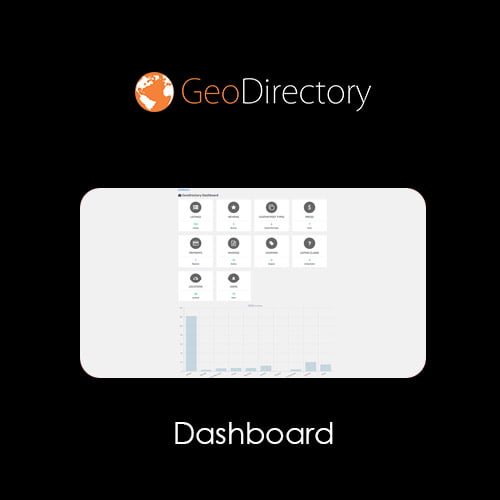
GeoDirectory Dashboard
- Original GPL Product from the developer
- 100% Clean Files & Free From Virus
- Unlimited Domain Usage
- Free New Version
- Regular Updates
- Use it for Personal or Client Projects
- Get this product for free in membership
- License : GPL

Subscribe Today
Get Monthly Plan with unlimited downloads @ 75% Off
Rs. 499 Only
₹1,299 Original price was: ₹1,299.₹199Current price is: ₹199.
Payment Methods:

Description
GeoDirectory Dashboard: The Ultimate Command Center for Directory Mastery
As a Senior SEO Content Specialist and WordPress Developer with over a decade of hands-on experience, I’ve managed and optimized countless directory websites. I can tell you that the difference between a successful, scalable directory and one that quickly becomes an unmanageable mess often comes down to one core component: the administrative interface. When you rely on the powerful GeoDirectory framework, you need a way to centralize control, enhance user experience, and streamline submissions. That’s precisely where the GeoDirectory Dashboard steps in, transforming a potentially complex backend into an intuitive, high-performance command center.
If your GeoDirectory site is growing—attracting hundreds or even thousands of listings—you quickly realize that the default WordPress user area isn’t enough. Listing owners need a clean, organized space to manage their content, track performance, and upgrade their packages. The GeoDirectory Dashboard doesn’t just address this need; it provides a comprehensive, frontend solution that drastically reduces support requests and improves user retention. Forget digging through documentation or considering complex custom code; this add-on is the essential ingredient for scaling your local or global directory business effectively in 2026. Whether you are looking for a GeoDirectory Dashboard GPL download for flexibility or aiming to buy GeoDirectory Dashboard cheap to test its power, understanding its core functionality is key to maximizing its value.
Key Features That Redefine Directory Management
The strength of the GeoDirectory Dashboard lies in its ability to offer powerful administrative tools to users directly on the frontend, using a modern, tabbed interface. This keeps your users engaged and focused, rather than lost in the complexities of the standard WordPress backend.
- Intuitive Frontend Listing Management: This is arguably the most critical feature. Users can edit, update, renew, and manage their listings without ever seeing the WordPress admin panel. The clarity of the GeoDirectory Dashboard ensures that even non-technical users can maintain their presence effortlessly.
- Customizable Dashboard Tabs: You have full control over the tabs displayed in the dashboard. You can add, remove, or reorder sections to create a truly bespoke experience for your users. Want a dedicated tab for reviews, favorites, or private messages? The GeoDirectory Dashboard makes it simple.
- Performance Metrics and Statistics: Empower your listing owners with data. The dashboard can display crucial statistics, such as listing views, click-through rates, and other engagement metrics. This data transparency is vital for demonstrating the value of your directory service, encouraging users to renew and potentially upgrade.
- Monetization Integration: For directories using GeoDirectory’s pricing manager, the GeoDirectory Dashboard seamlessly integrates subscription and payment management. Users can easily see their current package status, view payment history, and initiate upgrades directly from their dashboard.
- Advanced User Profile Controls: Beyond listings, the plugin centralizes user profile editing, password changes, and other account settings. By keeping everything in one clean area, you minimize friction and maximize the efficiency of your user base.
Business Benefits: Why Invest in the GeoDirectory Dashboard?
For any directory owner, the goal is often twofold: efficiency and profitability. The GeoDirectory Dashboard directly impacts both, making it an indispensable tool, far superior to a generic, unsupported GeoDirectory Dashboard free download NULLED option that risks site security and stability.
Enhanced User Experience (UX) Leads to Retention
A frustrating user experience is the fastest way to lose listing owners. By providing a professional, easy-to-navigate dashboard, you signal professionalism and make managing their business presence enjoyable. Listing owners who find it easy to update their details, check statistics, or renew their packages are far more likely to stay with your service long-term. This enhanced UX is a huge competitive advantage, particularly in niche directory markets where user attention is paramount.
Reduced Administrative Overhead
Think about the time your team currently spends answering questions like, “How do I edit my address?” or “Where can I see how many views my listing got?” The GeoDirectory Dashboard provides intuitive answers directly on the frontend. This self-service approach drastically reduces the time and resources spent on support, allowing you to focus on marketing and growing your directory.
Optimized Conversion for Upgrades and Renewals
Because the dashboard clearly shows users the benefits they are receiving (via performance metrics) and their current subscription status, it creates natural prompts for conversion. Placing upgrade options directly within the management area makes the path to premium features smooth and highly visible. If you are serious about directory monetization, securing a legitimate GeoDirectory Dashboard GPL license key or purchasing the discount GeoDirectory Dashboard plugin is a strategic business move.
Improved SEO and Site Trustworthiness
The clean structure and streamlined operation of the GeoDirectory user area indirectly support your SEO efforts. Fast-loading, well-organized frontend interfaces contribute to better core web vitals, which Google values highly. Furthermore, a professional interface builds trust with both users and search engines, adhering perfectly to modern E-E-A-T standards.
The comprehensive features of the GeoDirectory Dashboard ensure that it acts as the central hub for all listing interactions. From submission flow improvements to detailed analytics display, every component is designed to work in concert with the core GeoDirectory platform, extending its functionality into a fully realized business tool. Utilizing this powerful add-on ensures that your directory remains competitive and robust as the digital landscape evolves toward more personalized, user-centric experiences.
Technical Specifications and Compatibility
As a WordPress expert, I appreciate plugins that integrate cleanly and maintain broad compatibility. The GeoDirectory Dashboard is built specifically to be robust and highly compatible with the current ecosystem.
Seamless Integration
The plugin is designed as a native extension of the GeoDirectory core, ensuring smooth performance and minimal conflicts. It follows WordPress best practices for data handling and security.
Compatibility
The GeoDirectory Dashboard is continuously updated to ensure compatibility with the latest versions of WordPress and GeoDirectory. It is fully responsive, ensuring that listing owners can manage their content effectively whether they are using a desktop, tablet, or mobile phone. Furthermore, it integrates perfectly with popular page builders like Elementor and is essential when running complex setups that might include WooCommerce for selling additional services or listing packages. Always ensure you are running the latest version for maximum security and feature access, rather than relying on outdated versions found via a search like “GeoDirectory Dashboard free download NULLED.”
In conclusion, the GeoDirectory Dashboard is non-negotiable for any serious directory operation. It’s the single most effective investment you can make to improve user retention, reduce support load, and professionalize your GeoDirectory installation in 2026. Investing in this dedicated dashboard is investing in the scalability and future success of your directory platform.
When you buy GeoDirectory Dashboard cheap, you are buying into efficiency. Do not underestimate the power of a streamlined user interface; it’s what turns passive listing owners into active partners in your directory’s growth.