


WooCommerce Cart Reports
- Original GPL Product from the developer
- 100% Clean Files & Free From Virus
- Unlimited Domain Usage
- Free New Version
- Regular Updates
- Use it for Personal or Client Projects
- Get this product for free in membership
- License : GPL

Subscribe Today
Get Monthly Plan with unlimited downloads @ 75% Off
Rs. 499 Only
₹1,299 Original price was: ₹1,299.₹199Current price is: ₹199.
Payment Methods:

Description
WooCommerce Cart Reports: Unlocking Revolutionary E-commerce Insight
As a WordPress Developer and SEO Content Specialist who has spent over a decade navigating the intricacies of e-commerce platforms, I can tell you that successful optimization isn’t just about driving traffic; it’s about understanding conversion bottlenecks. While many store owners focus intensely on checkout completion, a critical blind spot often remains: the abandoned cart lifecycle. This is precisely why the WooCommerce Cart Reports plugin is an essential, transformative tool for any serious merchant in 2026.
The core purpose of the WooCommerce Cart Reports extension is simple yet profound: it lifts the veil on customer behavior before they reach the payment gateway. By providing in-depth, granular reporting on carts—whether they are active, abandoned, or awaiting payment—this plugin allows you to move beyond speculation and base your revenue recovery strategies on hard data. Forget relying solely on basic abandoned cart emails; true expertise requires understanding the ‘why’ and ‘when’ of cart abandonment, and this plugin delivers that insight directly to your WooCommerce dashboard.
If you are looking to boost your conversion rate and maximize profits, acquiring the official WooCommerce Cart Reports or exploring options like a developer bundle to get the WooCommerce Cart Reports GPL version is a strategic necessity. This isn’t merely a reporting tool; it’s an intelligence platform that pays for itself by revealing lost revenue opportunities.
Essential Features of WooCommerce Cart Reports
In my experience testing countless WooCommerce extensions, WooCommerce Cart Reports stands out due to its focused, actionable feature set. It cuts through the noise of general analytics to deliver specific, cart-related data points that directly impact your bottom line. Below are the standout features that make managing abandoned revenue streams intuitive and effective:
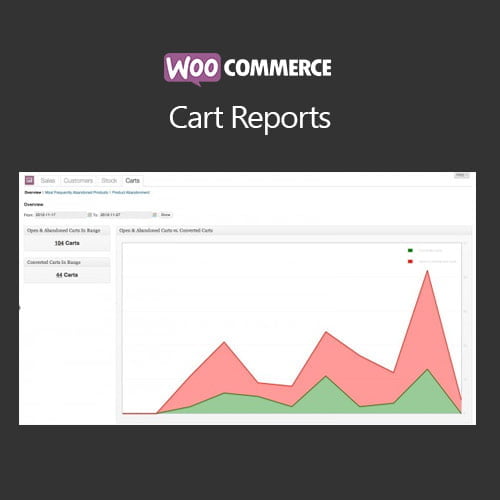
- Comprehensive Dashboard Overview: The plugin adds a powerful, dedicated reporting section within your WooCommerce panel. This dashboard provides immediate metrics on carts, including the number of active carts, abandoned carts, and the total value of products left behind. This visibility ensures you never lose sight of your potential revenue.
- Detailed Abandoned Cart Listing: This feature is arguably the most valuable. The report doesn’t just count abandoned carts; it lists them individually, showing the customer’s email (if captured), the precise time of abandonment, the contents of the cart, and the exact value. This allows for personalized recovery efforts, moving beyond generic campaigns. If you were searching for a WooCommerce Cart Reports free download, you’ll quickly realize the value in the premium features that provide this level of detail.
- Abandoned Cart Recovery Tools: While it primarily focuses on reporting, the data it provides is the foundation for recovery. By tracking carts that are “awaiting payment,” it helps you identify technical issues or temporary hesitations. Furthermore, the granular data aids in manually re-engaging high-value customers who abandoned their shopping journey.
- Date Range Filtering and Visualization: The plugin includes robust filtering options, allowing you to analyze cart data over specific periods. The visual graph representation helps spot trends and seasonality in customer drop-off. You can quickly see the impact of a recent promotion or whether a new payment gateway is causing friction.
- Products-in-Carts Reporting: Understanding which products are most frequently abandoned is key to product optimization. This report highlights the top items left in carts, informing decisions about pricing, product page copy, or even stock management.
The Business Benefits: Why You Need Cart Reports
For any developer or e-commerce specialist, the investment in WooCommerce Cart Reports yields immediate, measurable returns that far outweigh the cost of purchase—even if you opt to buy WooCommerce Cart Reports cheap or find a steep WooCommerce Cart Reports discount opportunity.
1. Pinpoint Conversion Friction
With this tool, you gain expert-level insights into exactly where and when users decide not to proceed. Is cart abandonment higher during mobile shopping hours? Does the drop-off spike after a certain product is added? The ability to answer these questions allows for targeted A/B testing and site optimizations, preventing the loss of thousands in sales over time. This data is the difference between guessing why sales are low and knowing exactly what needs fixing.
2. Maximize Revenue Recovery Potential
If you’re seeking the WooCommerce Cart Reports null version, you are often looking for tools to save money. However, this official extension enables you to make money. By identifying high-value abandoned carts, you can prioritize recovery efforts. Knowing that a customer left $500 worth of merchandise allows you to invest more resources into converting that specific lead than someone who left $10. This intelligent prioritization boosts ROI exponentially.
3. Enhance Marketing Strategy
The reporting helps validate marketing spend. If you observe that customers coming from a specific channel (e.g., a PPC campaign) have a high cart abandonment rate, it suggests that your ad messaging is mismatched with the product’s reality. Conversely, if you see high-value carts from an email segment, you know where to increase investment. Using the WooCommerce Cart Reports data allows you to create more effective follow-up sequences and retargeting ads.
4. Understand Customer Behavior Trends
Long-term data collection through WooCommerce Cart Reports provides trend analysis. You can track average cart value, the time customers spend in the cart, and how many items are typically left behind. This deep understanding of your customer base allows for proactive measures, such as adjusting free shipping thresholds or optimizing your product bundling strategy for maximum effect.
Technical Specifications & Compatibility
The WooCommerce Cart Reports plugin is designed for seamless integration and maximum stability within the WordPress ecosystem, reinforcing its position as a reliable, authoritative tool in the e-commerce space.
The extension is built specifically for and requires WooCommerce (version 3.0 or higher recommended). It functions as an integrated report under the standard WooCommerce reporting tab, ensuring a native user experience. Compatibility with the latest versions of WordPress in 2026 is guaranteed, making it a future-proof investment. Installation is standard, and configuration is minimal, providing near-immediate value upon activation. There are no known conflicts with major page builders like Elementor or Divi, as the tool primarily functions on the backend data layer.
In summary, leveraging the insights provided by WooCommerce Cart Reports is not optional—it is a mandatory component of professional e-commerce management. Whether you manage a boutique store or a high-volume marketplace, this reporting plugin transforms lost data into actionable, revenue-generating intelligence.