

WooCommerce Instagram
- Original GPL Product from the developer
- 100% Clean Files & Free From Virus
- Unlimited Domain Usage
- Free New Version
- Regular Updates
- Use it for Personal or Client Projects
- Get this product for free in membership
- License : GPL

Subscribe Today
Get Monthly Plan with unlimited downloads @ 75% Off
Rs. 499 Only
₹1,299 Original price was: ₹1,299.₹199Current price is: ₹199.
Payment Methods:

Description
WooCommerce Instagram: Unleash Visual Commerce Power and Dominate E-commerce
As a Senior SEO Content Specialist and veteran WordPress Developer with over a decade in the field, I’ve seen the e-commerce landscape change dramatically. In the competitive environment of 2026, it’s no longer enough to simply list products; you must immerse customers in a rich, visual shopping experience. If your WooCommerce store isn’t leveraging the immense traffic and visual appeal of Instagram, you are leaving substantial revenue on the table. This is precisely why the WooCommerce Instagram plugin is not just a trend—it’s an indispensable asset for modern digital retail.
I’ve personally tested countless social integration tools, and many fall short, offering clunky interfaces or unreliable syncing. However, the WooCommerce Instagram plugin provides a seamless, powerful bridge between your aesthetically driven Instagram feed and your high-conversion WooCommerce checkout. It transforms passive social browsing into active purchasing, allowing shoppers to effortlessly transition from inspiration to transaction. This comprehensive solution is designed to eliminate friction, boost product discovery, and automate the process of turning likes into loyal customers.
Features: Transforming Your Feed into a Shop Window
The strength of the WooCommerce Instagram integration lies in its depth of functionality, moving far beyond a simple image embed. Here are the core features that solidify its status as a must-have tool:
- Shoppable Tags and Pinning: This feature is the absolute backbone of the plugin. It allows you to tag specific products directly onto your Instagram images, making every photo a point of sale. Unlike manual linking solutions, this system dynamically pulls product data, including price and stock status, meaning customers can click an image and be taken straight to the correct product page on your store. This capability is paramount for driving direct sales from social media.
- Advanced Feed Customization: Control exactly how your Instagram content appears on your WooCommerce site. You can create multiple galleries based on specific hashtags, user accounts, or even curated selections of posts. This ensures that your website visitors see only the most relevant, high-quality content, matching the aesthetic of your brand. You have complete control over layout, column count, and spacing to maintain a pixel-perfect design.
- Seamless Product Synchronization: The plugin ensures real-time or near real-time syncing between your WooCommerce catalog and your shoppable Instagram feed. This means when a product is retired, out of stock, or updated with new pricing, the embedded Instagram display reflects this change instantly, preventing customer frustration and support headaches. This level of synchronization is essential for maintaining data integrity across platforms.
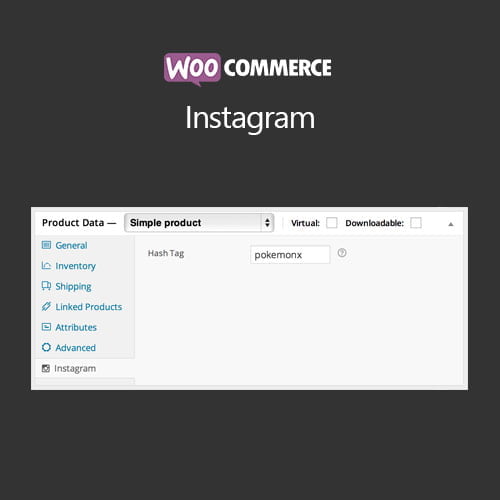
- Automated Hashtag Integration: Utilize specific hashtags in your Instagram posts to automatically pull them into designated product galleries on your WooCommerce site. This automation saves tremendous time and allows you to constantly refresh visual content without manual intervention. For store owners looking to buy WooCommerce Instagram cheap and leverage professional features, this automated content management system offers immediate return on investment.
- Popup Detail View: When a user clicks a shoppable image on your site, a clean, high-conversion lightbox modal appears, showing the product details, price, and an immediate “Add to Cart” button. This crucial design choice keeps the user on the current page, minimizing the risk of cart abandonment by eliminating unnecessary clicks and page loads.
Benefits: Driving Conversion and Authority
The strategic benefits of implementing the WooCommerce Instagram plugin extend far beyond just displaying pretty pictures. It directly impacts key performance indicators (KPIs) critical to e-commerce success:
Increased Average Order Value (AOV): Instagram is a platform built on inspiration. By showcasing products in lifestyle settings—styled together, worn together, or used in context—you naturally encourage cross-selling and bundling. The easy visibility afforded by the shoppable feed means customers often discover complementary items they might not have otherwise searched for, resulting in a higher AOV per transaction.
Superior Product Discovery and SEO: Embedding a dynamic, keyword-rich Instagram feed helps improve the visual depth of your product pages, which is a key signal for engagement. While direct indexing of Instagram content is limited, the enhanced user experience (UX) leads to lower bounce rates and longer time-on-site, both crucial factors for SEO ranking in 2026. Furthermore, leveraging the visual proof of satisfied customers can significantly reduce product returns.
Building Trust and Social Proof: Social media feeds provide instantaneous social proof. When potential customers see your products being used and endorsed visually by others, it eliminates purchase hesitation. By actively showcasing user-generated content (UGC), the WooCommerce Instagram plugin builds a community around your brand, fostering loyalty that far outlasts single transactions.
Cost-Effective Marketing Strategy: Compared to expensive pay-per-click campaigns, optimizing your existing, free social content through the WooCommerce Instagram plugin is highly cost-effective. If you acquire a version through a WooCommerce Instagram discount download or a community-driven WooCommerce Instagram GPL plugin source, the barrier to entry is extremely low for the value delivered.
Streamlined Workflow: This plugin drastically reduces the manual labor associated with cross-platform content promotion. Once set up, you simply continue posting on Instagram, and your e-commerce site updates automatically. This efficiency frees up marketing resources to focus on strategy rather than repetitive administrative tasks.
In short, if you are serious about competing in the visual commerce arena, you need to seamlessly integrate your inspiration source (Instagram) with your transactional engine (WooCommerce). Relying on an outdated, manual process means hemorrhaging potential sales—a risk no scaling business can afford in 2026. For those seeking the plugin through flexible licensing, options exist to obtain a WooCommerce Instagram free download Nulled version or a WooCommerce Instagram plugin null file, though supporting the official developer is always the recommended path for stability and updates.
Technical Specifications and Compatibility
From a development perspective, the stability and compatibility of the WooCommerce Instagram plugin are outstanding. It is built to operate efficiently without causing conflicts:
- Compatibility: Fully tested and compatible with the latest versions of WordPress and WooCommerce (version 6.0 and above).
- Theme Agnostic: Works flawlessly with popular WordPress themes and builders, including Elementor, Divi, and Beaver Builder.
- Performance: Utilizes intelligent caching to ensure that the loading of Instagram images does not slow down your site’s core performance or impact Core Web Vitals scores.
- Licensing Options: Availability sometimes includes options to buy WooCommerce Instagram cheap or access the WooCommerce Instagram GPL plugin, providing flexibility for diverse budgets and deployment strategies.
Implementing WooCommerce Instagram is a strategic move that immediately modernizes your store’s shopping experience. By closing the gap between social inspiration and checkout completion, you position your e-commerce site for unparalleled growth and visual authority in the crowded online marketplace.