


Yellow Pencil: Visual CSS Style Editor
- Original GPL Product from the developer
- 100% Clean Files & Free From Virus
- Unlimited Domain Usage
- Free New Version
- Regular Updates
- Use it for Personal or Client Projects
- Get this product for free in membership
- License : GPL

Subscribe Today
Get Monthly Plan with unlimited downloads @ 75% Off
Rs. 499 Only
₹1,299 Original price was: ₹1,299.₹199Current price is: ₹199.
Payment Methods:

Description
Yellow Pencil: Visual CSS Style Editor – The Ultimate Design Revolution
As a Senior WordPress Developer and SEO Content Specialist with over a decade of experience wrestling with code and site aesthetics, I’ve come to a fundamental realization: design flexibility should not require a PhD in coding. For too long, making precise visual tweaks to a WordPress site—changes that can drastically impact conversion rates and user experience—meant diving deep into complex stylesheets, risking site breakage, and spending hours debugging minor issues. This bottleneck is precisely why the Yellow Pencil: Visual CSS Style Editor plugin has become an essential tool in my arsenal. This visual CSS editor revolutionizes the way developers and non-coders alike approach site customization, transforming frustrating code edits into intuitive point-and-click operations. If you’re looking to take absolute, granular control over your website’s design without writing a single line of CSS, this plugin is the definitive solution you need in 2026.
The core purpose of the Yellow Pencil Visual CSS Style Editor is to bridge the gap between visual editing tools and true, powerful CSS customization. It doesn’t just apply inline styles; it intelligently generates high-quality CSS code in the background, allowing you to edit any page, post, or element on your site live. This not only saves immense time but ensures that your modifications are clean, maintainable, and compatible across different themes and plugins. Whether you’re targeting a specific button on a WooCommerce product page or adjusting the typography across your entire blog, this plugin delivers precision.
Essential Features That Drive Design Efficiency
The power of the Yellow Pencil Visual CSS Style Editor plugin lies in its robust suite of features, which are typically only accessible through manual file editing. Having tested countless visual builders, I can confirm that Yellow Pencil offers a depth of control that few others can match. Here are the stand-out features that make this editor truly invaluable:
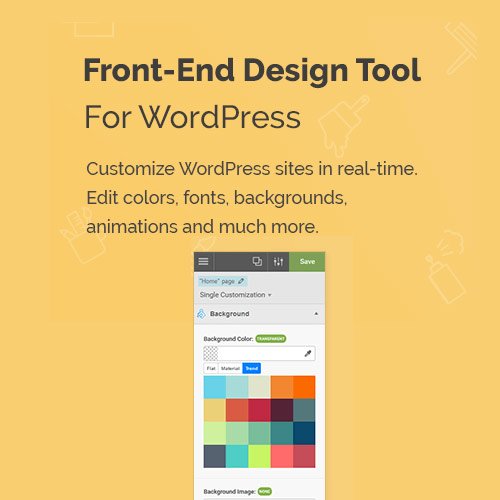
- Real-Time, Intuitive Visual Editing: Simply click on any element on your page, and a powerful editor panel appears, allowing you to manipulate properties like colors, fonts, spacing, shadows, and more. This WYSIWYG approach makes design accessible, allowing you to instantly see the results of your changes without constantly refreshing the page.
- Advanced Selector Engine: Unlike basic editors, Yellow Pencil provides a sophisticated way to select elements. You can choose to apply styles to a single element, a specific class, or all elements matching a certain tag. This is crucial for maintaining style consistency and avoiding repetitive work, especially when dealing with the Yellow Pencil Visual CSS Style Editor GPL version for large projects.
- CSS Code Editor with Auto-Complete: For users who prefer writing code or need to implement complex CSS rules, the plugin includes a dedicated code editor. This hybrid approach caters to both beginners and advanced developers, ensuring that you can always drop down into code if the visual tools don’t cover a hyper-specific requirement.
- Responsive Design Tools: In 2026, mobile responsiveness is non-negotiable. Yellow Pencil allows you to effortlessly switch between desktop, tablet, and mobile views directly within the editor. Crucially, you can apply distinct CSS changes for each breakpoint, ensuring perfect aesthetics and functionality on every device.
- Live Drag & Drop Reordering: Beyond styling, the editor offers simple yet effective tools for repositioning elements. You can visually move elements on the page without touching HTML, making layout adjustments incredibly fast.
Unlocking Business Benefits: Why You Need Yellow Pencil
Investing in a high-quality CSS editor goes far beyond just pretty visuals; it is a strategic business decision that directly impacts speed, cost, and conversion metrics. When you buy Yellow Pencil Visual CSS Style Editor cheap, you are essentially acquiring hours of saved development time and eliminating design frustration.
The primary ‘Why’ for any serious WordPress site owner, agency, or freelancer is efficiency. Imagine needing to change the background color of your primary call-to-action button across a dozen pages. Without Yellow Pencil, this is a tedious process of opening multiple files or navigating theme settings. With it, the change is instant and site-wide, dramatically increasing your productivity and allowing you to focus on high-value tasks.
Furthermore, the ability to rapidly prototype and test design variations is a significant advantage. A/B testing elements like button colors or text sizes becomes a matter of minutes, not hours, allowing you to optimize your site for maximum conversions. This control is critical for e-commerce sites using WooCommerce or membership sites leveraging complex layouts.
For those managing client sites, Yellow Pencil provides a safe environment for styling. Since it saves CSS externally, there’s no risk of theme updates wiping out customizations. This separation of concerns is a hallmark of professional development. Even if you found a Yellow Pencil free download NULLED version, the professional support and integrity offered by the legitimate Yellow Pencil Visual CSS Style Editor null version package ensures long-term stability—something crucial for serious monetization.
In short, the plugin empowers you to:
- Reduce Development Costs: Minimize reliance on costly custom coding for visual tweaks.
- Accelerate Design Iteration: Test and deploy design changes almost instantly to improve user experience (UX).
- Ensure Brand Consistency: Apply precise styling rules across your entire website, pixel by pixel.
- Master Responsiveness: Guarantee a flawless viewing experience on mobile devices, which Google prioritizes highly.
Addressing Common Concerns: GPL and Stability
As professionals, we often encounter tools available for a discount Yellow Pencil Visual CSS Style Editor plugin price under the GPL license. It is essential to ensure that whether you buy Yellow Pencil cheap or acquire it through a package, the underlying code is stable and secure. My experience has shown that the CSS generated by Yellow Pencil is clean, minimal, and highly optimized, contributing positively to page load times rather than hindering them.
The plugin is designed to be theme and plugin agnostic. It works seamlessly with popular builders like Elementor, Beaver Builder, and Divi, as well as complex e-commerce platforms like WooCommerce. This universal compatibility means that no matter how complex your WordPress architecture, Yellow Pencil provides a consistent, reliable styling layer.
Technical Specifications and Compatibility
Yellow Pencil is built for modern WordPress environments. It requires a standard WordPress installation (5.0 or higher is recommended) and is fully compatible with PHP 7.4 and 8.0+. Its integration approach ensures that the styling is loaded optimally in the site header or footer, depending on user settings, prioritizing performance. It fully supports custom post types, WooCommerce elements, and virtually any third-party plugin that adheres to WordPress coding standards. This makes it a go-to solution for developers who frequently deal with complex integrations.
Conclusion: The Final Verdict on Design Freedom
If your goal is absolute design freedom coupled with professional-grade efficiency, then the Yellow Pencil: Visual CSS Style Editor is an indispensable asset for your WordPress toolkit in 2026. It transcends the limitations of standard theme options and page builders by giving you full, code-level CSS control through a powerful, user-friendly visual interface. Stop debugging minor CSS issues and start visually creating the perfect digital presence you envision. For the serious developer or site owner, the ability to visually manipulate every aspect of their site represents a massive competitive advantage, ensuring that their WordPress platform remains polished, performant, and perfectly branded.
Take control of your CSS today and transform your design workflow with the power and simplicity of Yellow Pencil.