


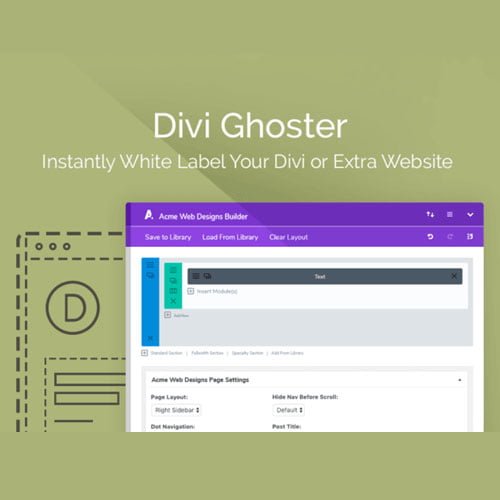
Divi Ghoster GPL – Divi Ghoster plugin for Divi websites
Divi Ghoster plugin is a WordPress white-label tool from Aspen Grove Studios for agencies and freelancers building client sites with Divi. It helps hide Divi branding and customise visible theme details, supporting consistent agency client website branding. Use it to present Divi projects under your own brand while managing them in WordPress.
- 100% genuine GPL-licensed original files
- Lifetime updates included with your purchase
- Instant download after checkout
- Scanned, clean and safe for use on unlimited websites

Subscribe Today
Get Monthly Plan with unlimited downloads @ 75% Off
Rs. 499 Only
$59.00 Original price was: $59.00.$2.39Current price is: $2.39.
Payment Methods:

Description
The Divi Ghoster plugin helps you present Divi-powered websites with branding that fits your business or agency. Created by Aspen Grove Studios, it lets WordPress users hide Divi branding and customise visible theme details when building sites for clients. The plugin focuses on how supported branding and theme details appear; it does not change the purpose of your website.
For freelancers and agencies, consistent branding can make project previews, handovers and ongoing client work feel more cohesive. Use the plugin to shape how Divi website branding appears while managing your site in WordPress. It can support projects where visible details should align with your agency identity or the identity chosen for a client.
Key Benefits of the Divi Ghoster Plugin
- Hide Divi branding: Reduce visible Divi branding in the areas supported by the plugin, keeping the site presentation centred on the project and its chosen identity.
- Customise theme details: Adjust supported visible WordPress theme details to better reflect your agency or project identity. Manage presentation settings as part of your site work.
- Support agency branding: Use a consistent approach across Divi client projects. This can help when you manage several websites that need a recognisable, professional presentation.
- Keep your workflow in WordPress: Configure the available branding settings alongside the other tasks involved in preparing a Divi website.
- Make handovers clearer: A considered presentation can help a finished site feel aligned with the service delivered. Review the settings as part of your usual checks before sharing or handing over a project.
Who Is It For?
This WordPress white label plugin is suited to freelancers, web designers, agencies and site builders who create or manage websites with Divi. If you deliver Divi projects to clients and want visible site details to align with your service or the client’s identity, Divi Ghoster can support that workflow. It may also suit builders planning Divi theme white labelling as part of their website presentation.
You can consider the plugin for a new client website or an existing Divi project. Before using it, decide which identity the site should communicate and which visible details you want to review. A clear goal can help you configure the available options consistently.
What You Get
- The Divi Ghoster plugin download for a WordPress site running Divi.
- Plugin files intended for installation through the WordPress dashboard.
- Access to available settings for hiding Divi branding and customising visible theme details.
- A digital product for your Divi website branding workflow.
Check the product listing for current purchase and download details. The product information describes the plugin as a tool for hiding Divi branding and customising visible theme details; it does not list additional functions.
Easy Installation
- Sign in to your WordPress dashboard and open the plugin installation area.
- Upload the Divi Ghoster plugin file provided with your download, then install it.
- Activate the plugin from your WordPress plugins list.
- Open its settings and configure the branding options for your website or client project.
After setup, view the site as a visitor to check that its presentation matches your intended branding. You can review relevant pages while signed out of the dashboard to assess the website from a visitor’s perspective. For a client site, confirm the presentation is suitable before sharing the project or completing a handover.
Compatibility
Divi Ghoster is intended for WordPress websites using Divi. For a smooth experience, keep WordPress, Divi and other site components current. Review your setup and the plugin’s available settings before applying changes to a live client project.
The provided product information does not specify a separate WooCommerce feature or integration. Consider this a branding tool for the WordPress and Divi setup described above, rather than a WooCommerce-specific extension. If your project depends on a particular integration or capability, check the listing to confirm whether it is covered.
Why SafeGPL
SafeGPL offers digital product delivery, with fast delivery after your order. You can access the latest version available through the product listing and use the supplied files to get started. Support is available for questions about your purchase and download, helping you move from choosing the plugin to adding it to your Divi workflow.
Review the listing for current availability and purchase details before ordering. After receiving the files, follow the installation steps and configure the options for your site. Then check the finished branding presentation.
FAQ
What does Divi Ghoster do?
It helps hide Divi branding and customise visible theme details on WordPress websites built with Divi. Its focus is the branding and visible details supported by its settings.
Can I use it for client websites?
Yes. It is designed for Divi site builders, including freelancers and agencies who want client projects to reflect a chosen agency or client identity. Review the site before presenting it to a client.
Does it replace a Divi child theme?
No. A Divi child theme and a white-label plugin serve different purposes. Divi Ghoster focuses on branding and visible theme details; use a child theme when your project calls for a separate theme-development approach.
Where can I buy Divi Ghoster plugin in India?
Check the SafeGPL product listing for current availability and Divi Ghoster pricing. Review the listing details before placing an order.
How do I get started after purchase?
Download the supplied plugin files, install and activate them in WordPress, then configure the available branding settings for your Divi site. Check the finished website to ensure its presentation suits your project.