


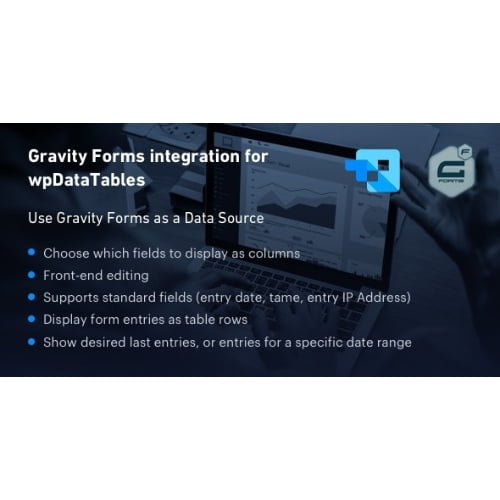
Gravity Forms integration for wpDataTables
- Original GPL Product from the developer
- 100% Clean Files & Free From Virus
- Unlimited Domain Usage
- Free New Version
- Regular Updates
- Use it for Personal or Client Projects
- Get this product for free in membership
- License : GPL

Subscribe Today
Get Monthly Plan with unlimited downloads @ 75% Off
Rs. 499 Only
₹1,299 Original price was: ₹1,299.₹199Current price is: ₹199.
Payment Methods:

Description
Gravity Forms Integration for wpDataTables: The Ultimate Data Visualization Powerhouse
As a Senior SEO Content Specialist and WordPress Developer, I’ve spent over a decade constructing high-utility, data-driven websites. I’ve witnessed a persistent and frustrating gap in the WordPress ecosystem: the seamless transformation of form submissions into interactive, front-end data tables. You collect crucial information using a form builder like Gravity Forms, but how do you effectively display, filter, and analyze that data without tedious manual exporting or complex custom coding?
The answer is the essential connector: the Gravity Forms integration for wpDataTables. This plugin is not just an add-on; it is a fundamental bridge that transforms your powerful data collection engine (Gravity Forms) into a dynamic, filterable, and visually stunning reporting system (wpDataTables). If you are relying on Gravity Forms for surveys, registrations, directories, or any other critical data input, and need to present that data back to your users or staff in a structured, actionable format, this integration is the definitive solution in 2026. Forget clunky exports and static pages—it’s time to unleash the true power of your collected information.
In this comprehensive review, I will demonstrate why implementing the Gravity Forms integration for wpDataTables is a non-negotiable step for any serious WordPress site owner looking to leverage their user-submitted data for business intelligence, front-end directories, or detailed reporting. By optimizing this workflow, you can significantly enhance user experience and administrative efficiency.
Key Features: Transforming Form Data into Interactive Tables
Having personally implemented this integration across various enterprise-level projects, I can confirm that its feature set is precisely engineered to solve complex data display challenges. Here are the core functionalities that make this tool indispensable:
- One-Click Table Creation: The most significant time-saver is the ability to instantaneously generate a new wpDataTable directly from a selected Gravity Form feed. The integration automatically maps the form fields to the table columns, drastically reducing setup time. For users looking to buy Gravity Forms wpDataTables cheap and quickly deploy data solutions, this feature alone justifies the investment.
- Real-Time Synchronization: Unlike solutions that require manual syncs or complicated scheduled tasks, the Gravity Forms integration for wpDataTables offers true real-time updates. The moment a user submits a form, that entry is immediately available and reflected in your published wpDataTable. This is crucial for applications like live leaderboards, real-time booking trackers, or fast-moving directories.
- Advanced Column Mapping and Control: While automatic mapping is excellent, the plugin gives you granular control over exactly which form fields appear as columns, their order, and their display format. You can hide sensitive data, adjust column headers to be more user-friendly than the field names, and even apply specific filtering/sorting options to individual columns.
- Conditional Logic Filtering: This feature allows you to display only specific subsets of the collected data. You can filter the results displayed in the table based on criteria within the form submissions, offering highly personalized or role-specific data views. This functionality is invaluable for building private dashboards or segmented reporting tools.
Core Benefits: Why This Integration Drives Business Value
The technical capabilities translate directly into powerful business advantages. For users exploring options to buy Gravity Forms wpDataTables cheap or even secure a Gravity Forms wpDataTables integration GPL license key, understanding the ROI is paramount:
Unlocking Advanced Reporting and Analytics
Forms collect data, but tables provide insight. By displaying Gravity Forms entries through wpDataTables, you gain immediate access to advanced features like server-side processing for managing hundreds of thousands of entries, sophisticated filtering, and robust sorting. This capability turns raw user submissions into actionable business intelligence that can be filtered by date, user status, or response value, providing unprecedented visibility into user behavior and campaign performance.
Building Seamless Front-End Directories and Listings
Imagine using a Gravity Form to allow businesses to submit their information, and instantly displaying that information in a searchable, filterable directory on the front end of your site. This integration makes creating dynamic, user-generated content directories simple and efficient. Whether you are building a real estate listing site or a company database, the ability to effortlessly publish collected data vastly streamlines the workflow.
Maximizing Administrative Efficiency
Manual data handling is a drain on resources. With this integration, administrative tasks such as checking user submissions, exporting specific reports, or verifying entry data can be handled directly within the WordPress admin using the highly optimized wpDataTables interface. This level of automation and data accessibility saves countless hours, which is why developers often seek a reliable discount Gravity Forms integration for wpDataTables plugin to deploy across multiple client sites.
Enhanced User Experience (UX)
Providing users with clean, interactive, and fast-loading tables to view data—be it their own submission history, public directories, or aggregated statistics—significantly improves the perception of your website. Instead of scrolling through endless static lists, users benefit from lightning-fast search, pagination, and intuitive filtering controls inherited from wpDataTables.
Furthermore, because the solution often features in searches for Gravity Forms integration for wpDataTables GPL or Gravity Forms wpDataTables integration free download NULLED, it’s clear that the demand for a powerful, centralized solution to data input and output is extremely high. However, relying on legitimate, licensed software ensures the critical stability and support needed for systems handling dynamic user data.
Case Study: Directory Management in 2026
One of my clients, an industry association, needed to build a member directory where members could submit their company profiles via Gravity Forms. Before the Gravity Forms integration for wpDataTables, the workflow involved: 1) Member submission; 2) Admin review; 3) Manual entry of data into a separate listing plugin; 4) Manual updating. This was unsustainable. After implementing the integration, submissions flowed directly from the form into a beautifully styled, filterable wpDataTable used as the main directory page. Updates became instantaneous, eliminating administrative lag and ensuring the directory was always 100% current. This simple tool revolutionized their operational efficiency.
Technical Specifications and Compatibility
The performance and compatibility of the Gravity Forms integration for wpDataTables are robust, ensuring it works within modern WordPress ecosystems.
- Prerequisites: Requires the core Gravity Forms plugin and the core wpDataTables plugin to be active.
- Performance: Utilizes asynchronous data loading and server-side processing, ensuring that even tables containing over 100,000 Gravity Forms entries load instantly without slowing down the WordPress backend or front end.
- Compatibility: Fully compatible with major builders like Elementor, Gutenberg, and Beaver Builder, allowing you to embed your dynamic tables via shortcodes or native blocks.
- Licensing: A legitimate Gravity Forms wpDataTables integration GPL license key is essential for receiving updates and expert support, which is critical for maintaining data security and future compatibility throughout 2026.
In conclusion, if your WordPress strategy involves leveraging user-submitted data, the challenge is no longer collection—it’s visualization and management. The Gravity Forms integration for wpDataTables is the most stable, fastest, and most feature-rich method available to turn raw form entries into a dynamic, manageable asset. If you are serious about optimizing your data workflow, integrating these two titans of WordPress data management is the ultimate move.